Special Processes
Managing Cumulative Quantities
Cumulative Received Maintenance
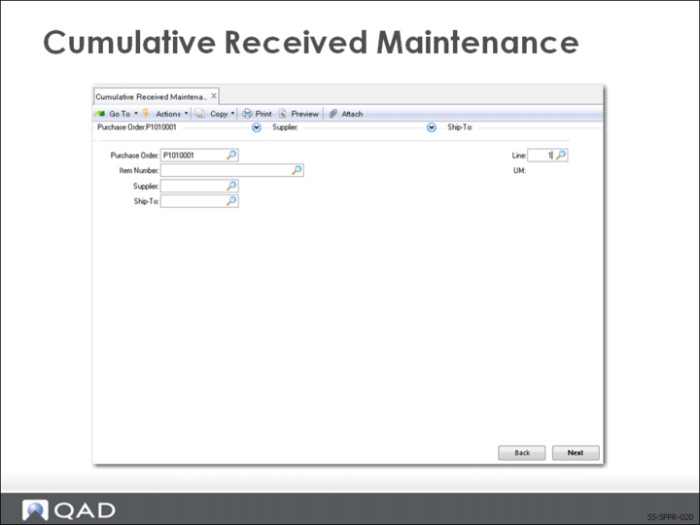
Use Cumulative Received Maintenance (5.5.5.13) to modify cumulative received quantity for the supplier schedule line or reset an entire scheduled order with a new Cum Start date and a zero (0) quantity.
Note: New cumulative quantity is transmitted on the next schedule release.
There are two frames.
In the first frame you select the scheduled order by specifying the:
• Purchase Order (scheduled order number)
• Item
• Supplier
• Ship-To
• Line
• In the second frame you designate how you want to modify the cumulative received quantity.
Note: It is recommended that this program be password-controlled.
Cumulative Received Reset to Zero
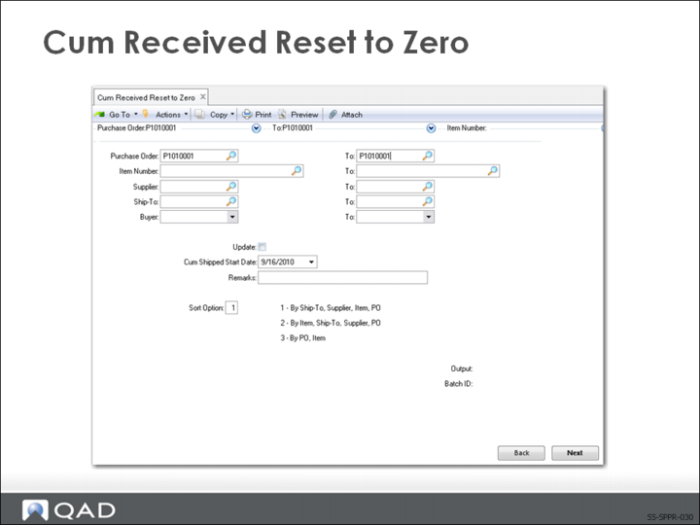
Use Cum Received Reset to Zero (5.5.5.14) to reset the cumulative totals for supplier schedules. You can reset one supplier schedule or a range of suppler schedules. The reset process generates a report showing which scheduled orders were reset and what their cumulative received totals were before being reset.
Note: You can run the reset process in batch mode.