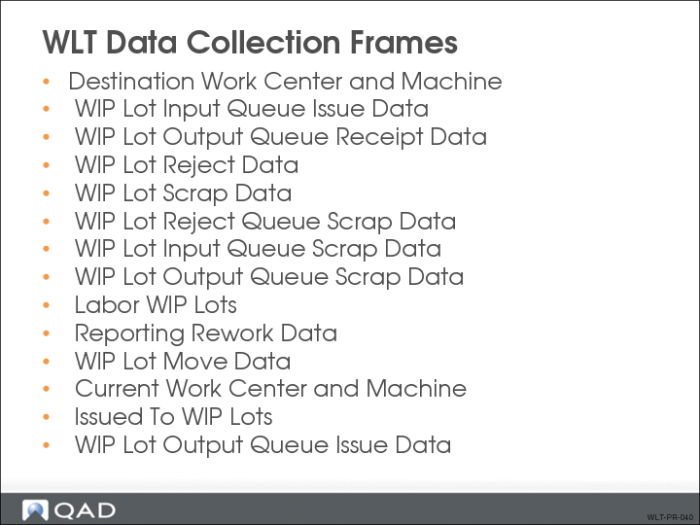
WLT Data Collection Frames
During processing, the system uses WLT data collection frames to collect, record, and update tracing records. Depending on how you have set up your tracing control parameters, these frames appear in various programs in the following modules:
• Repetitive
• Advance Repetitive
• Work Orders
• Shop Floor Control
• Purchasing
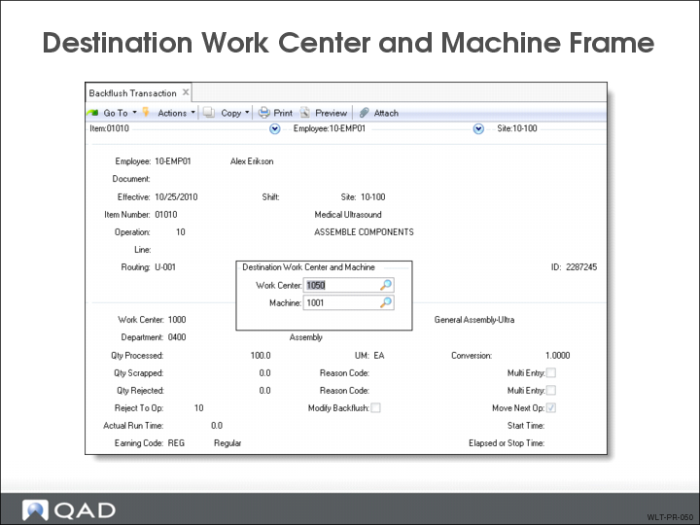
Destination Work Center and Machine Frame
Use the Destination Work Center and Machine frame to specify where to move the WIP material produced at the current operation.
• System uses the information to update QOH balances for the affected queues
• Appears in:
• Labor Feedback by Work Order (17.1)
• Labor Feedback by Employee (17.2)
• Labor Feedback by Work Center (17.3)
• Work Order Operation Backflush (16.19)
• Repetitive Labor Transaction (18.14)
• Repetitive Rework Transaction (18.16)
• Backflush Transaction (18.22.13)
• Reject Transaction (18.22.16)
• Rework Transaction (18.22.17)
• Move Transaction (18.22.19)
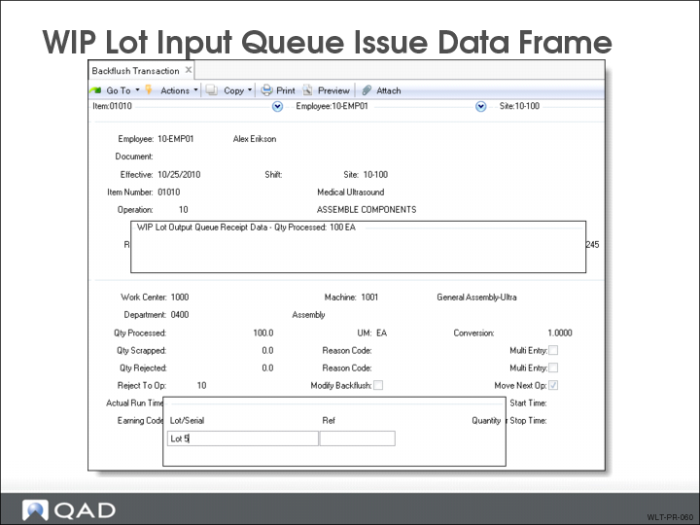
WIP Lot Input Queue Issue Data Frame
Use the WIP Lot Input Queue Issue Data frame to register the lot/serial numbers, references, and quantities of the WIP material being consumed at the current operation.
• Displays when the previous operation’s output queue and the current operation’s input queue are WLT controlled
• Appears in:
• Purchase Order Receipts (5.13.1)
• Purchase Order Returns (5.13.7)
• Work Order Component Issue (16.10)
• Work Order Operation Backflush (16.19)
• Repetitive Labor Transaction (18.14)
• Repetitive Reject Transaction (18.17)
• Backflush Transaction (18.22.13)
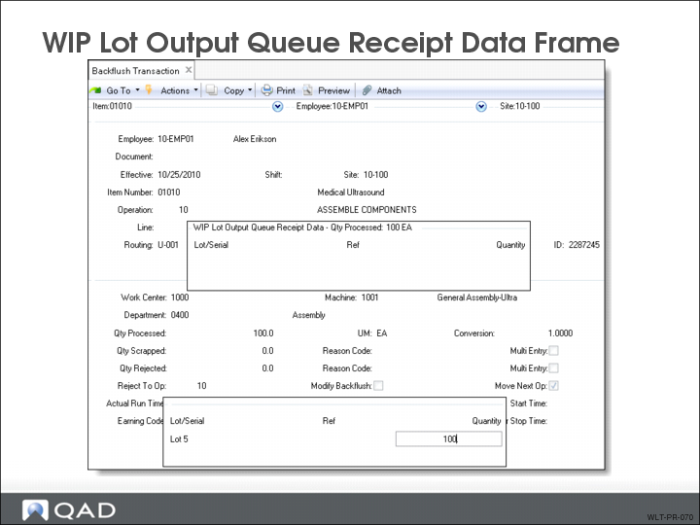
WIP Lot Output Queue Receipt Data Frame
Use the WIP Lot Output Queue Receipt Data frame to report the WIP lot/serial numbers, references, and quantities of the WIP material an operation produces.
• Appears in:
• Purchase Order Receipts (5.13.1)
• Purchase Order Returns (5.13.7)
• Work Order Operation Backflush (16.19)
• Labor Feedback by Work Order (17.1)
• Labor Feedback by Employee (17.2)
• Labor Feedback by Work Center (17.3)
• Repetitive Labor Transaction (18.14)
• Backflush Transaction (18.22.13)
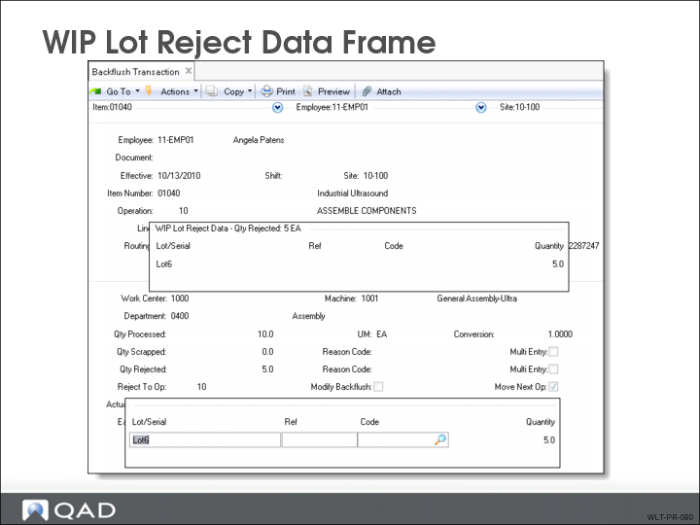
WIP Lot Reject Data Frame
Use the WIP Lot Reject Data frame to report the WIP lot/serial numbers, references, reject codes, and quantities of rejected material.
• Quantity is moved from the operation’s output queue to the reject queue
• Appears in:
• Repetitive Labor Transaction (18.14)
• Repetitive Reject Transaction (18.17)
• Backflush Transaction (18.22.13)
• Reject Transaction (18.22.16)
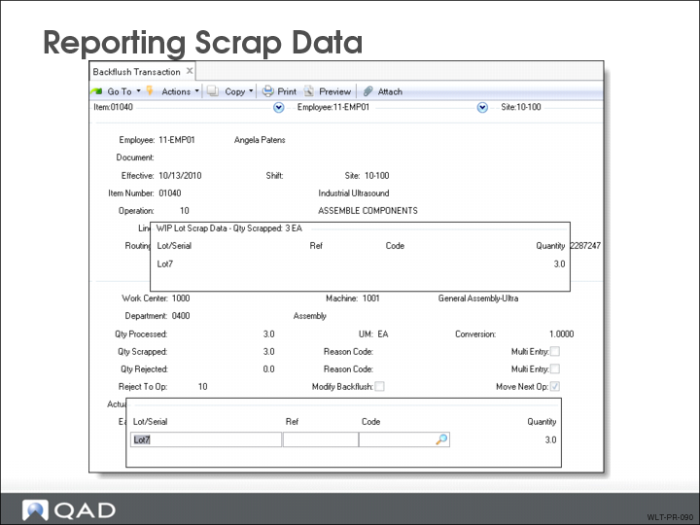
Reporting Scrap Data
There are four different WLT frames that can be used to record WLT controlled material being scrapped from an operation’s input, output, or reject queues. Each frame records lot/serial numbers, references, scrap codes, and quantities being scrapped.
• WIP Lot Scrap Data Frame appears in:
• Repetitive Labor Transaction (18.14)
• Backflush Transaction (18.22.13)
• WIP Lot Reject Queue Scrap Data Frame appears in:
• Repetitive Scrap Transaction (18.18)
• Scrap Transaction (18.22.18)
• WIP Lot Input Queue Scrap Data Frame appears in:
• Operation Scrap Transaction (17.7)
• Repetitive Labor Transaction (18.14)
• Backflush Transaction (18.22.13)
• Repetitive Scrap Transaction (18.22.18)
• WIP Lot Output Queue Scrap Data Frame appears in:
• Operation Scrap Transaction (17.7)
• Repetitive Scrap Transaction (18.22.18)
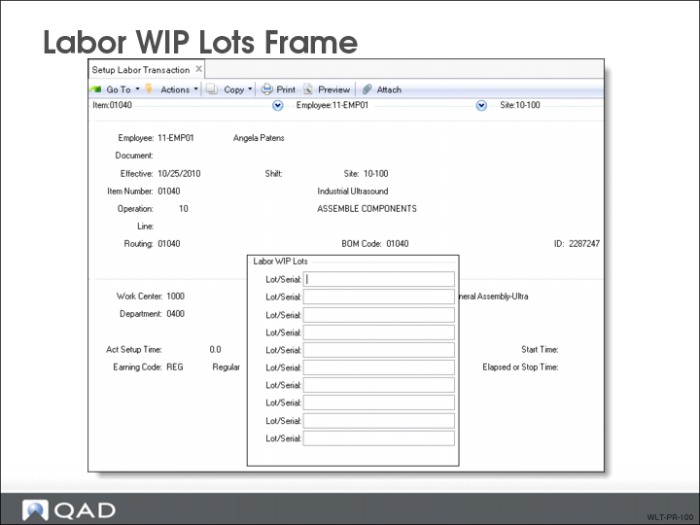
Labor WIP Lots Frame
Use the Labor WIP Lots frame to associate run and set up labor time with corresponding lot/serial numbers. When the output queue of the operation being processed is WLT controlled, the Labor WIP Lots frame appears in:
• Repetitive Setup Transaction (18.13)
• Run Labor Transaction (18.22.14)
• Setup Labor Transaction (18.22.15)
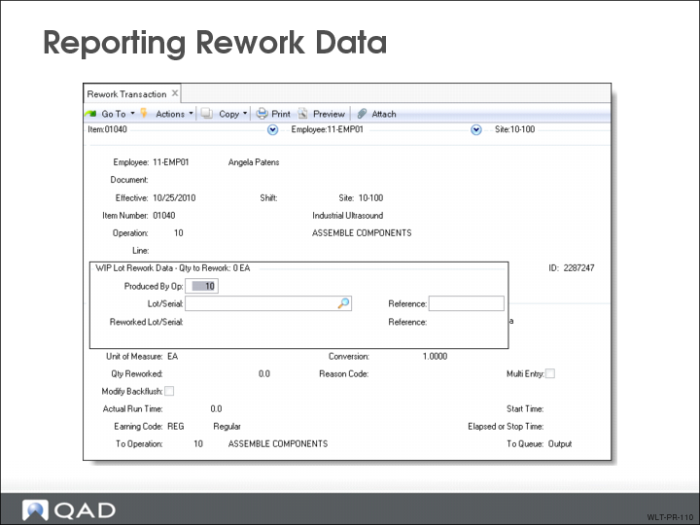
Reporting Rework Data
Use the WIP Lot Rework Data frame to specify the WIP lot/serial numbers and references that were reworked.
• Can also be used to assign new WIP lot/serial numbers and references to WIP material
• Appears in:
• Repetitive Rework Transaction (18.16)
• Rework Transaction (18.22.17)
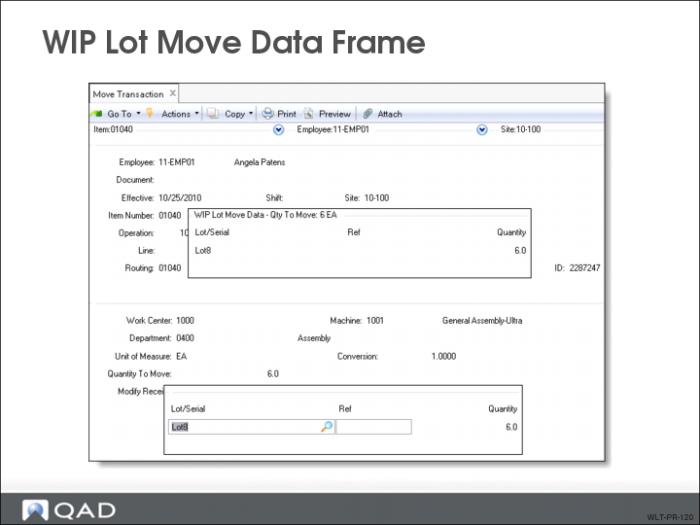
WIP Lot Move Data Frame
Use the WIP Lot Move Data frame to record the WIP lot/serial numbers, references, and quantities of material being moved.
Appears in:
• Operation Move Transaction (17.6)
• Move Transaction (18.22.19)
• Sub Container Maintenance (18.22.5.4)
• Sub Shipper Maintenance (18.22.5.5)
Note: This frame does not appear if you are moving WIP quantities to finished goods inventory. The Receipt Data Input frame appears for receipt of finished goods into inventory.
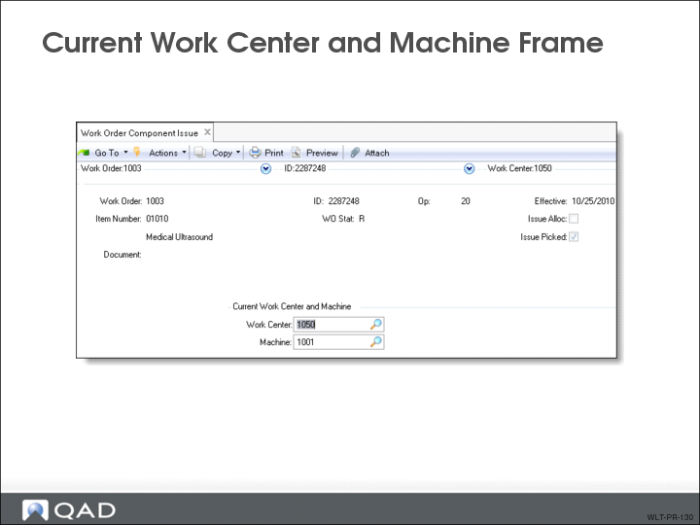
Current Work Center and Machine Frame
Use the Current Work Center and Machine frame to specify the work center and machine location from where the operation consumes the input WIP lot/serial inventory.
Appears in:
• Work Order Component Issue (16.10)
• Work Order Receipt (16.11)
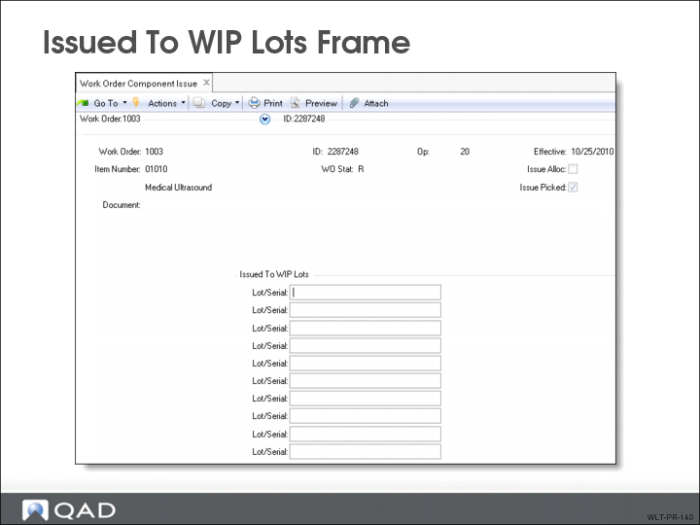
Issued to WIP Lots Frame
Use the Issued To WIP Lots frame to specify the produced WIP lot/serial numbers to which the specified components and WIP material are being issued.
Note: The WIP material issued is specified in the WIP Lot Input Queue Issue Data frame that appears immediately before this frame.
Appears in:
• Work Order Component Issue (16.10)
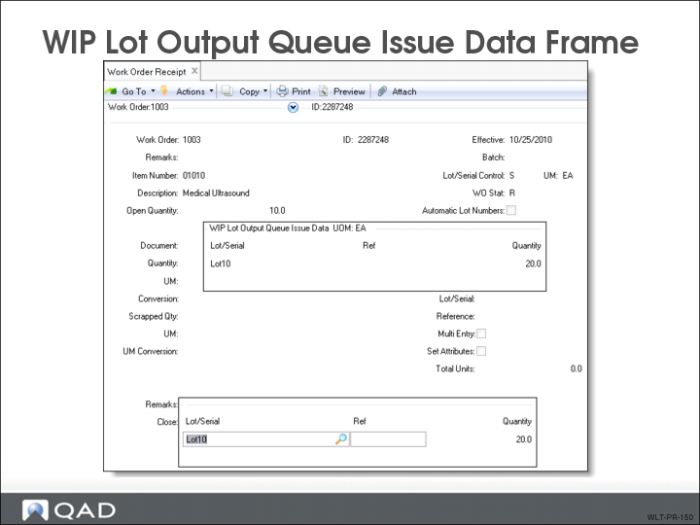
WIP Lot Output Queue Issue Data Frame
Use the WIP Lot Output Queue Issue Data frame to enter a list of the WIP lot/serial number consumed from the previous operation’s output queue in the specified work center and machine.
Appears in:
• Work Order Receipt (16.11)
Review Questions
1 What causes the WIP Lot data entry frames to display?
2 Can you reject partial lots using WIP Lot Trace? (Y/N)
3 Can you move WIP Lots into finished goods inventory? (Y/N)