WLT with Repetitive
Course Overview
Repetitive
When processing a cumulative order in the Repetitive module, the system uses WLT data collection frames to collect tracing information when the cumulative order is WLT-controlled.
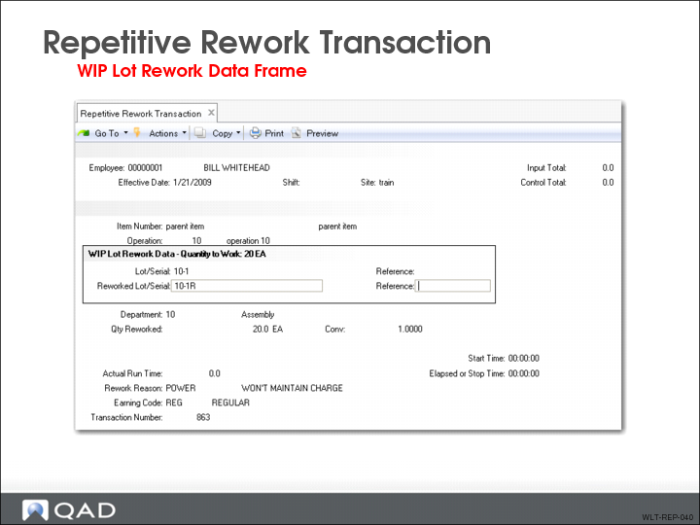
Repetitive Rework Transaction
Use Repetitive Rework Transaction to move previously rejected WLT-controlled material back into production. The following WLT data collection frames display:
• Destination Work Center and Machine
• WIP Lot Rework Data
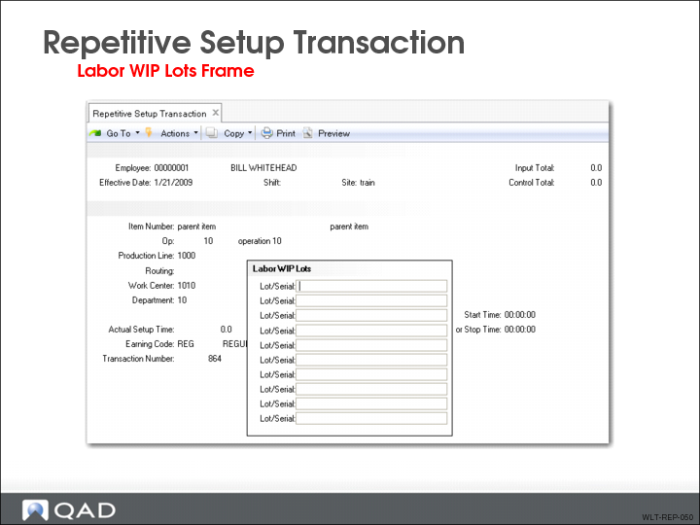
Repetitive Setup Transaction
Use Repetitive Setup Transaction to report labor performed for WLT-controlled lot/serial numbers. Do this using this WLT data collection frame:
• Labor WIP Lots
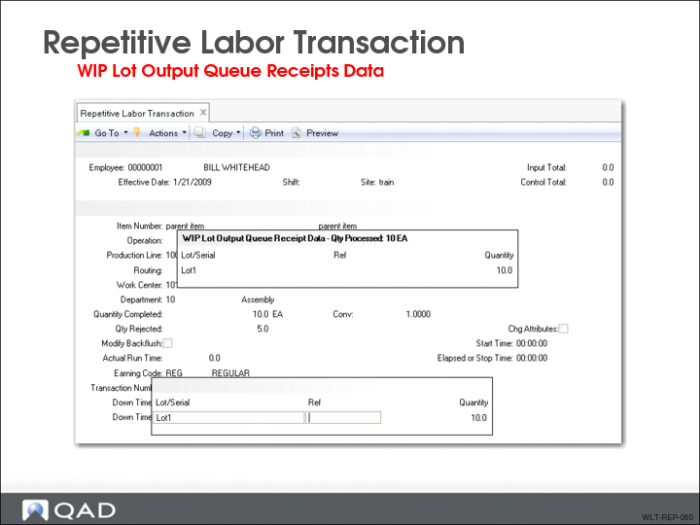
Repetitive Labor Transaction
Use Repetitive Labor Transaction to report production activity (input, output, reject) at repetitive manufacturing operations. When WLT is active, the following WLT data collection frames display:
• Destination Work Center and Machine
• WIP Lot Input Queue Issue Data
• WIP Lot Output Queue Receipt Data
• WIP Lot Reject Data
• Appears only if you enter a value in the Qty Reject field
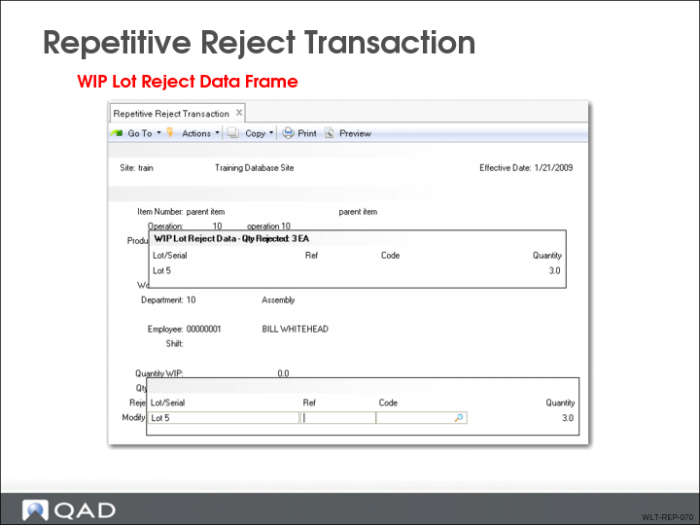
Repetitive Reject Transaction
Use Repetitive Reject Transaction to enter reject material information for an operation. The following WLT data collection frames display:
• WIP Lot Input Queue Issue Data
• WIP Lot Reject Data
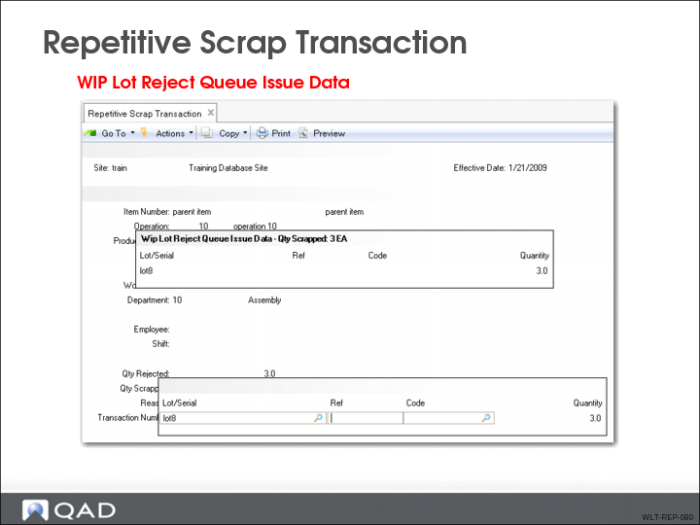
Repetitive Scrap Transaction
Use Repetitive Scrap Transaction to scrap or remove WIP quantities of an operation. The following WLT data collection frame appears:
• WIP Lot Reject Queue Scrap Data
The system updates tracing history records and WIP lot/serial QOH balances.
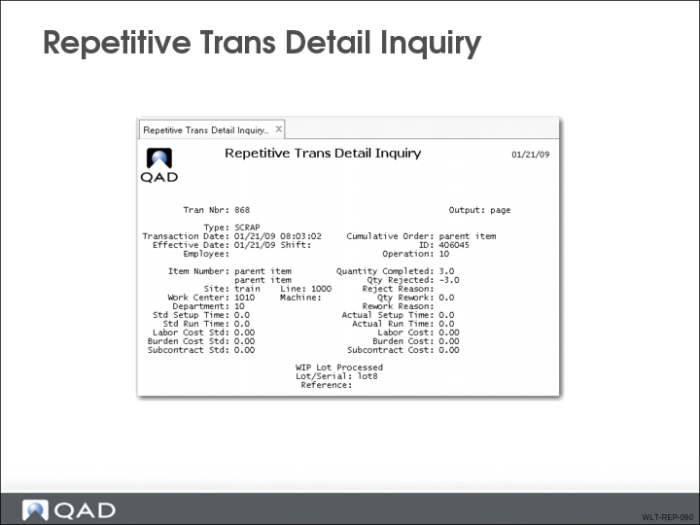
Repetitive Trans Detail Inquiry
Use Repetitive Trans Detail Inquiry to display WIP lot/serial information connected with an operation history record. Also displayed are:
• Tracing records associated with the operation history record
• WIP lot/serials recorded by a scrap, reject, rework, or adjust transaction