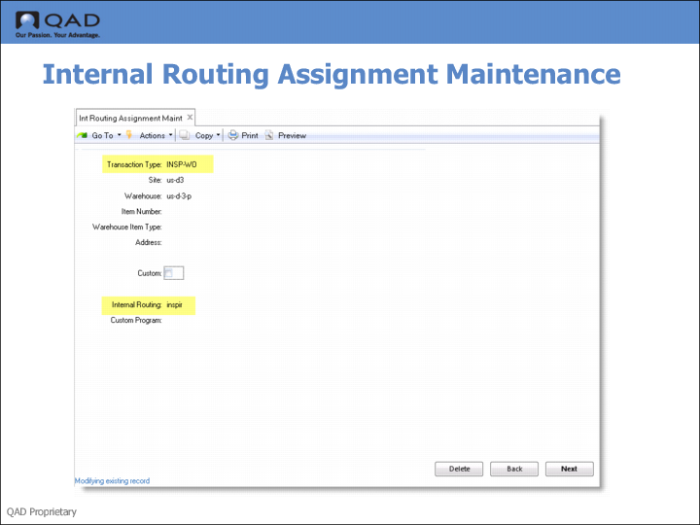
Internal Routing Assignment Maintenance
Use Internal Routing Assignment Maintenance (4.2.9 if using QAD Warehousing and 80.2.9 if using AIM) to link transaction types to internal routings. You can also specify a combination of a transaction type with an item, an item type, or an address relating to a supplier or customer so that the internal routing is used when that particular combination occurs.
In the training example, you need the following transaction types for transactions that take place in the storage, product, and inspection areas:
PICK WO: Pick raw materials for the work order.
RCT WO: Receive newly built finished goods into storage.
INSP WO: Inspect the work order goods.
BACK WO: Send inspected work order goods back to storage.
Fields
Transaction Type
This field is used to specify the transaction type. You maintain transaction types using Transaction Type Maintenance.
You specify the transaction type to link to an internal routing in Internal Routing Assignment Maintenance. You specify the transaction type to link to a sequence of algorithms in Algorithm Assignment Maintenance.
You also specify the transaction type when using the Algorithm Simulation Menu. These options simulate either location-find and put-away, or picking. The system simulates the running of the algorithms that you have assigned to the specified transaction type and displays the results of the simulated put-away or picking.
Internal Routing
Specify the IR that you set up in the previous step for the transactions; see
Internal Routing Maintenance.