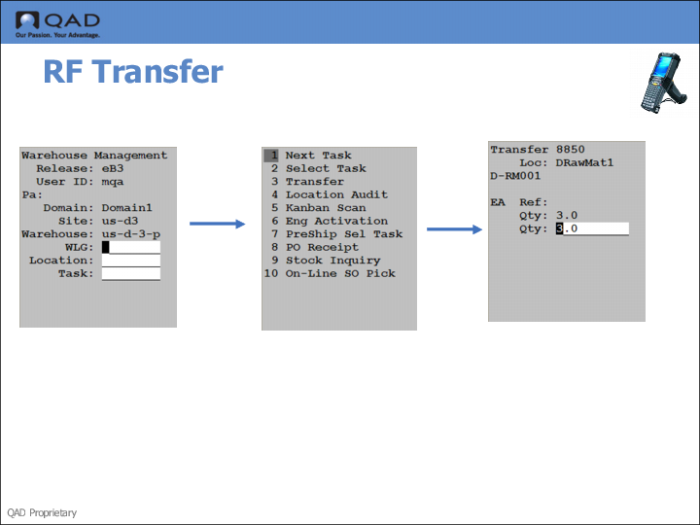
Step 4: Transfer Stock Using the RF
1 Log onto the RF, using Warehousing.
2 Enter the warehouse, work location group (WLG) and location.
3 Select the Next Task option (1.).
4 The system prompts you to transfer stock from the raw material location.
5 Enter the quantity, then press Go.