RF Screen Overview
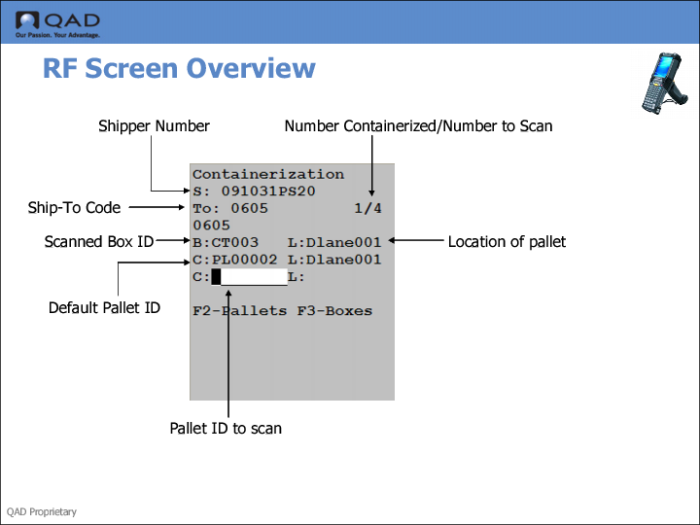
The RF Screen shows you the function at the top, followed by this information on the left side of the screen:
• Shipper number
• Ship-to code
• Scanned box ID
• Default Pallet ID
• Blank pallet ID to scan
The right side depicts the number of boxes already in the container, and the number remaining to go into the container. The ID after the L indicates the location of the pallet.