Step 2: Use the RF to Transfer the Container
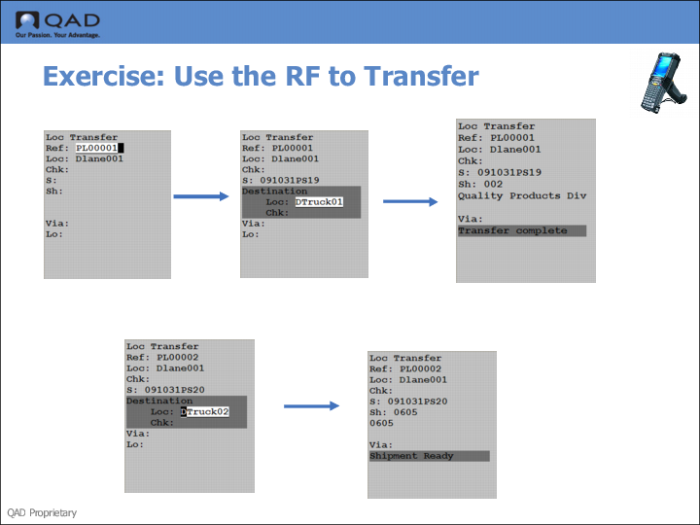
11 Log onto the RF device software, then use the Container Move function to transfer the container.
12 Log onto the RF software.
13 Select Container Move (3.4).
14 Enter the Container Reference number in the Ref field.
15 Enter the destination location (the truck) in the Loc field, under Destination.
The system informs you the shipment is ready to ship.