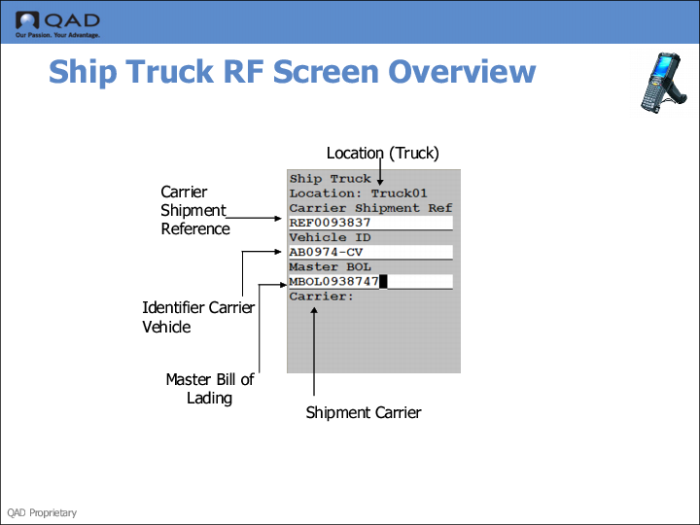
RF Screen Overview
You use RF Ship Truck options (3.5) to enter shipment data. You enter the truck location, and optionally, vehicle ID, or master bill of lading (MBOL).
Note: If you do not enter an MBOL, the system generates one and assigns shippers that are being confirmed to it. Print the MBOL using the RF Print Paperwork option. If you enter an MBOL, the system adds the shippers that are being confirmed to the existing MBOL.
You can specify a valid carrier as defined in Carrier/Service Assignment Maintenance (4.15.2.13). When you enter a carrier, the system validates that all shippers being confirmed belong to a service of the carrier. The RF displays shipper IDs with varying shipper status.