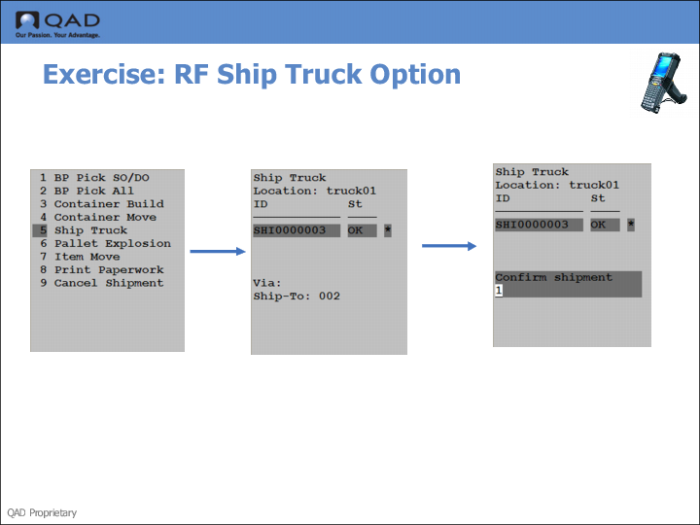
Step 2: Use the RF Ship Truck Option
1 Log onto the RF device software.
2 Select Ship Truck (3.5).
3 Enter the Container Reference number in the Ref field.
4 Enter the destination location (the truck) in the Loc field, under Destination.
5 Enter the Truck Location.
The system informs you the shipment is ready to ship.