Step 7: Backflush/Issue Items
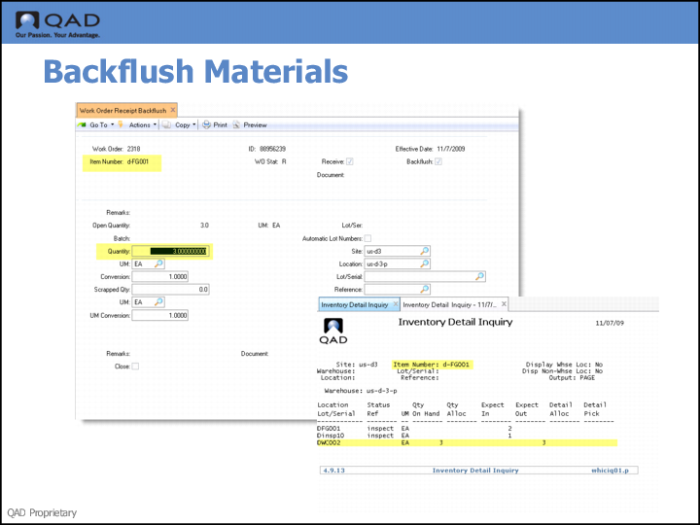
1 Use Work Order Receipt Backflush to receive completed products and issue the items used to make them at the same time.
A receipt with backflush increases end-item inventory quantities at the designated location and decreases component inventory. It also updates the work order to reflect quantities completed.
2 Enter the quantity; then press Go.
3 Use Inventory Detail Inquiry to verity that the system allocated the quantity you entered for the correct location.