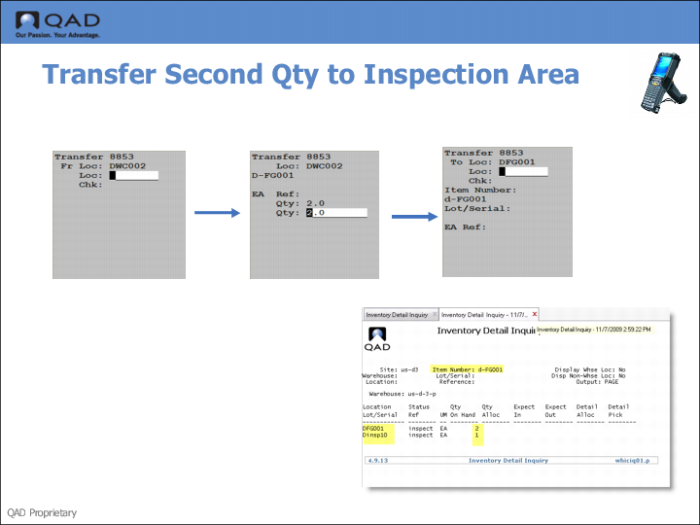
Step 9: Transfer Second Qty to Inspection Location
1 Use the RF Select Task to transfer the second quantity of stock to the inspection area.
2 Enter a sample to inspection; for example, enter 2; then press Go.
3 Enter the inspection location; then press Go.
4 Use Inventory Detail Inquiry to verity the transfer.