Kanban Scan
>
Exercise1: Replenish using Kanban Scan
>
Step 3: Scan Items to Replenish
PPT
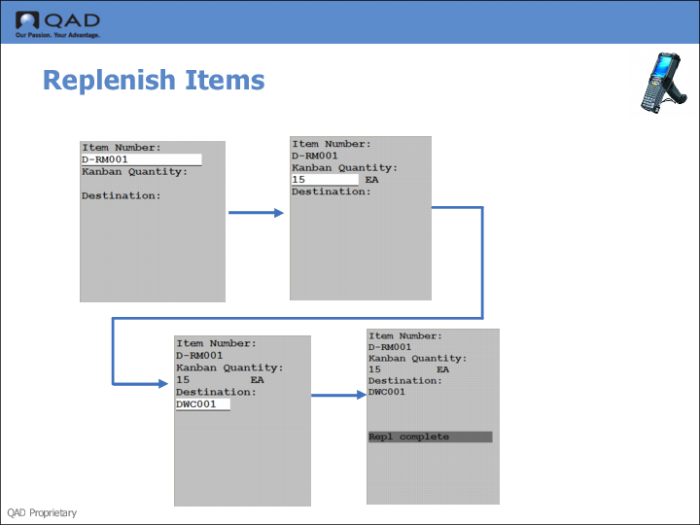
Step 3: Scan Items to Replenish
1
Scan (Enter) the item number.
2
Enter the kanban quantity to replenish.
Note:
You set the default for the quantity in Multi-Item Level Maintenance; see
Multi-Item Level Maintenance
3
Enter the destination location for the replenishment.
4
Press Go.
The system informs you that the replenishment is complete.