Introduction
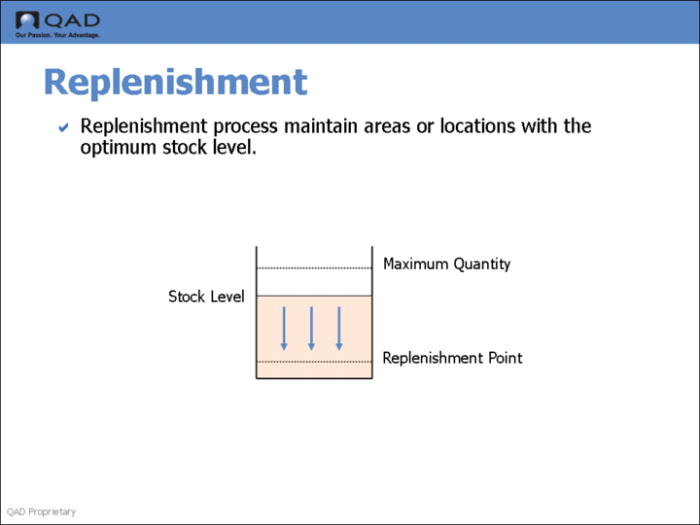
QAD Warehousing lets you define areas in the warehouse where the main picking activity occurs. In order for this area to be maintained at the optimum stock levels, the system uses a process called replenishment. The area in which stock is stored prior to picking is generally called the primary picking area. This area would typically contain the stock required for picking first and in quantities and locations that are easy to maintain.
You define the types of items and the quantities that can be stored in the replenishment, or primary picking, locations. Picking functions look in these locations first before searching the rest of the warehouse.
In warehousing, you can define:
• Replenishment for a given item and a given location.
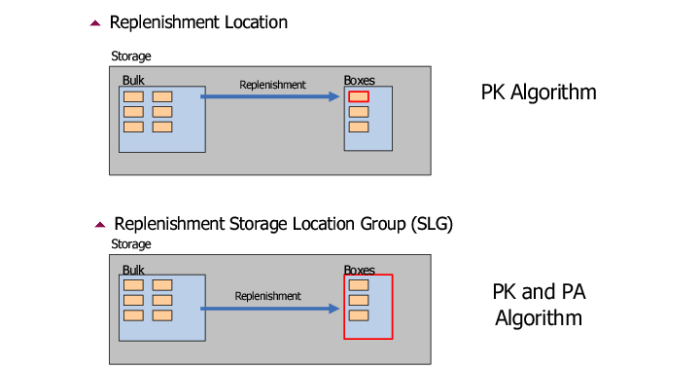
• Replenishment for a given item in a storage location group. This means that a put-away is performed in the storage location group in order to place the items at the best suitable location inside this storage location group.
• Replenishment lists. A series of storage location groups in which the system looks for the item to replenish. Sequences allow searching some storage location groups first and then others by order corresponding to the sequence.
• Replenishment in real-time on the RF device.
• Overpick Replenishment. Warehouse staff can select a multi- or single-item pallet from the reserve area and replenish one or multiple locations from the pallet in the picking area. After staff replenish, they can return the remainder on the pallet to the reserve area.
Replenishment and SLGs
In warehousing, you can define replenishment for a given item and a given location. More commonly, though, you can define replenishment for a given item in a storage location group. This means that a put-away is performed in the storage location group in order to place the items at the best suitable location inside this storage location group. The system typically uses the
• Pick (PK) algorithm for locations
• PK and put away (PA) algorithms for SLGs
Replenishment and Locations
You can also create a replenishment list. This is a series of storage location groups in which the system looks for the item to replenish. Sequences allow searching some storage location groups first and then others by order corresponding to the sequence.
Replenishment Requests
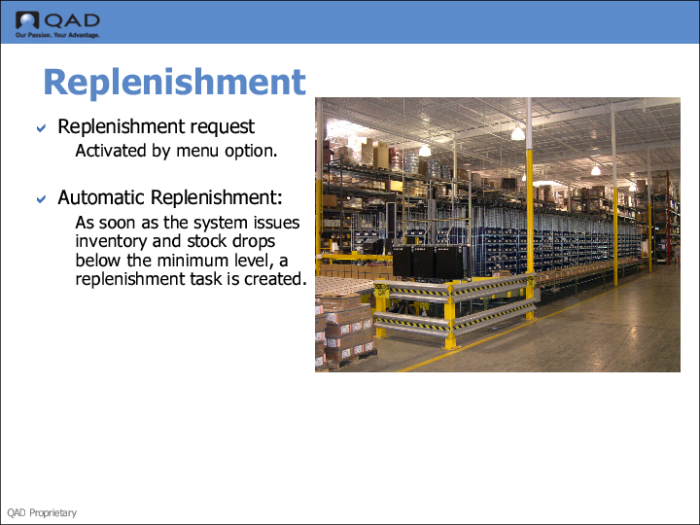
When you have warehousing set up for replenishment, you can run a Replenishment Request (4.16.13).
This function lets you:
• Run a simulation of the replenishment. By default, the Create Transactions field is set to No. You can then run a report to look at all the replenishments to be done, simulate a picking, and generate a list of all potential transactions, without actually creating the transactions. You can run this report several times using different percentages each time, until you select a quantity of work that can be handled by the current staffing levels.
• When you are satisfied that the replenishment report contains a manageable workload, change the Create Transactions field to Yes, and then run the report again.
The field Include Area Below Replenishment Point enables you to adjust the value of the replenishment point defined in Replenishment-Location Maintenance or Replenishment-SLG Maintenance.
When the inventory for a given item in a given location stays above the replenishment point, running the replenishment has no effect. When an inventory movement makes the inventory in that location drop below the replenishment point, running the replenishment request with Create Transactions set to No tries to find available stock for the replenishment. The Include Area Below Replenishment Point field enables you to change the value of the replenishment point. This is a way to have fewer transactions to carry out if the load is too high.
Automatic Replenishment
Replenishment can happen automatically, without running Replenishment Request. As soon as the system issues inventory and stock drops below the minimum level, the system automatically creates a replenishment task.