Code | Definition |
0 | A field is available on each order detail record that can be manually set to Yes to indicate a shortage. |
1 | A field is available on each order detail record that is automatically set to Yes when picking is attempted. This constitutes a shortage. |
2 | General allocation: an allocated quantity greater than zero that is not detail allocated indicates a shortage. |
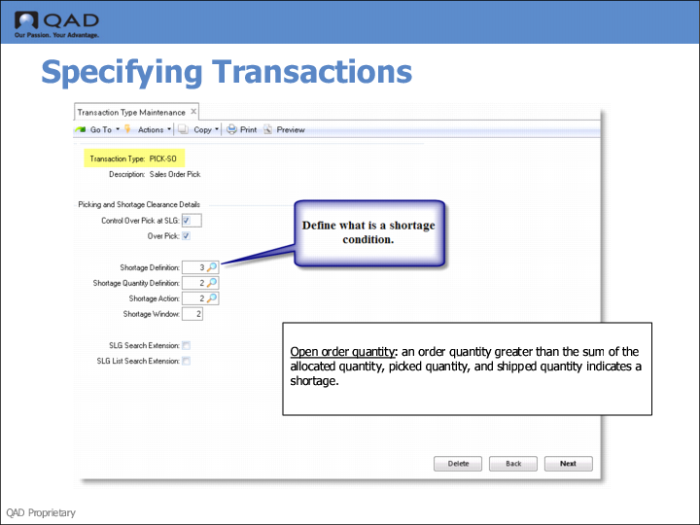
3 | Open order quantity: an order quantity greater than the sum of the allocated quantity, picked quantity, and shipped quantity indicates a shortage. |
4 | Non-detail allocated quantity: an order quantity greater than the sum of any detail allocations and the picked quantity and shipped quantity indicates a shortage. |
5 | General allocation previously picked: as 2 except that the sum of the quantity picked and quantity shipped must be greater than zero. |
6 | Open order quantity previously picked: as 3 except that the sum of the quantity picked and quantity shipped must be greater than zero. |
7 | Non-detail allocated quantity previously picked: as 4 except that the sum of the quantity picked and quantity shipped must be greater than zero. |
8 | General allocation, other line previously picked: as 2 except that sum of the quantity picked and quantity shipped of a different line on the same order must be greater than zero. |
9 | Open order quantity, other line previously picked: as 3 except that sum of the quantity picked and quantity shipped of a different line on the same order must be greater than zero. |
10 | Non-detail allocated, other line previously picked: as 4 except that sum of the quantity picked and quantity shipped of a different line on the same order must be greater than zero. |
Code | Definition |
0 | General allocated quantity |
1 | Open order quantity (ordered, less allocated, less picked, less shipped) |
2 | Non-detail allocated quantity (ordered, less total detail allocations, less picked, less shipped) |
Code | Definition |
0 | No action: Warehouse transactions are created. |
1 | Order line is general allocated; warehouse transactions are created. |
2 | Order line is detail allocated. These allocations are converted to detail picks that create warehouse transactions. |
3 | Order Line is detail allocated—not detail picked, and warehouse transactions are created. |