Step 1: Ensuring IRs are Set Up
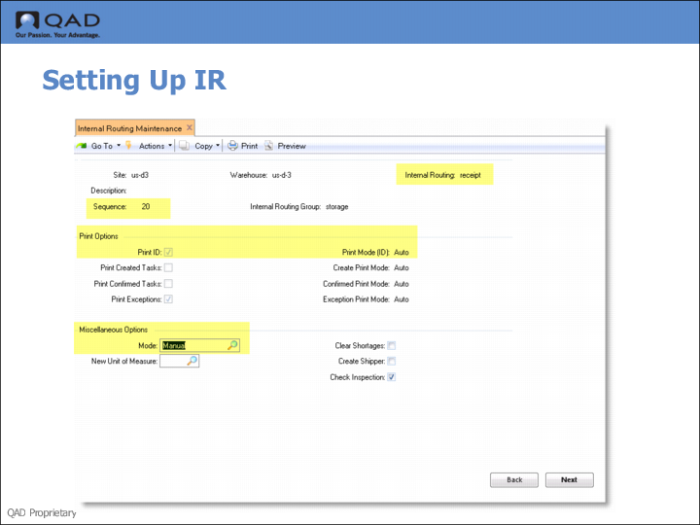
Use Internal Routing Maintenance (4.2.6) to ensure that options are set for printing labels and that the mode is set for manual for the IR for the sequence (the step) within the IR you want to deactivate automatic processing.
Example: You set up the picking process to include a packing step. You want warehouse staff to go from inventory to a packing area and when packing is complete, to a dispatch area. To do this, you define a three-step process that includes:
1 Step 10: storage
2 Step 20: packing
3 Step 30: dispatch
Normally, you want the system to use the AUTO mode for step 20 and step 30; however, you set up step 30 as a MANUAL mode because the shipment is large and the packing staff is short-handed. This lets the packing department take more time.
Since step 30 is in MANUAL mode, the system does not create the task from the packing area to the dispatch area when staff confirm that goods are moved from the storage area to the packing area. Instead, it creates a request for movement in the form of an engine workfile. The dispatch staff use the Engine Activation (1.6) menu option on the RF device to process the engine workfile. When the engine is activated, the system creates the movement from the packing area to the dispatch area. As an alternative to the RF Engine Activation function, you can also use one of the engine processor programs in Engine Menu (4.7).
Fields
Print ID
Enter the ID of the printer to use for label printing.
Mode
Ensure the mode is set for manual.