Setting Up Item Tolerance
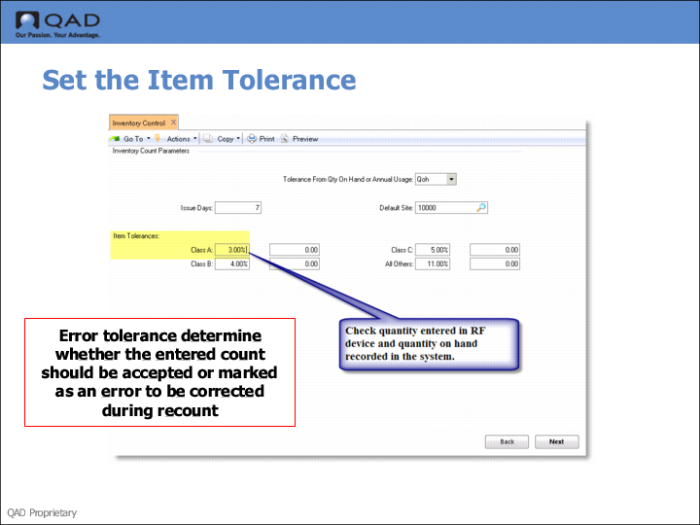
Use Inventory Control (3.24) to set the item tolerance.
Specify the count tolerance amount for items with this ABC class.
Cycle counting functions use this whenever a count is entered that is different from the quantity on hand recorded in the system. Error tolerance is calculated and used to determine whether the entered count should be accepted or marked as an error to be corrected during recount. Both percentage and amount tolerance is checked. The error must be within both tolerances for it to be accepted.
If the tolerance method is [Q]oh, item tolerances are calculated as a percentage of quantity on hand. If it is Usage, item tolerances are calculated as a percentage of annual usage. Value (currency) tolerance is always checked.
Note: Unlike cycle counting, physical inventory counts let you enter out-of-tolerance quantities. No recount step is required. Instead, out-of-tolerance items are identified on count reports.
Tolerances are set up by ABC class. This allows you to exercise a greater degree of control over class A and B items than others. Setting tolerances based on annual usage further refines this by putting tolerance into perspective with the amount of use of an item.