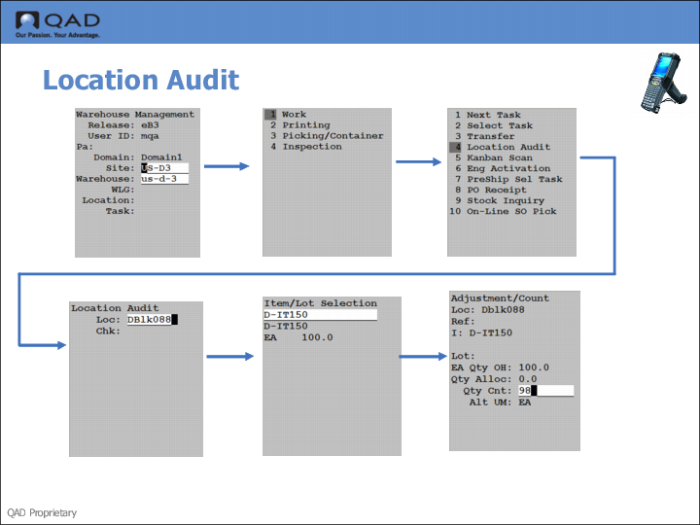
Step 2: Use the RF to Audit the Location
Use the RF Location Audit (1.4) to invoke a location audit.
1 Log onto the RF, entering site and warehouse.
2 Specify 1.4, Location Audit.
3 Enter the location with the stock to audit.
4 Enter the item number.
5 Enter the quantity counted.