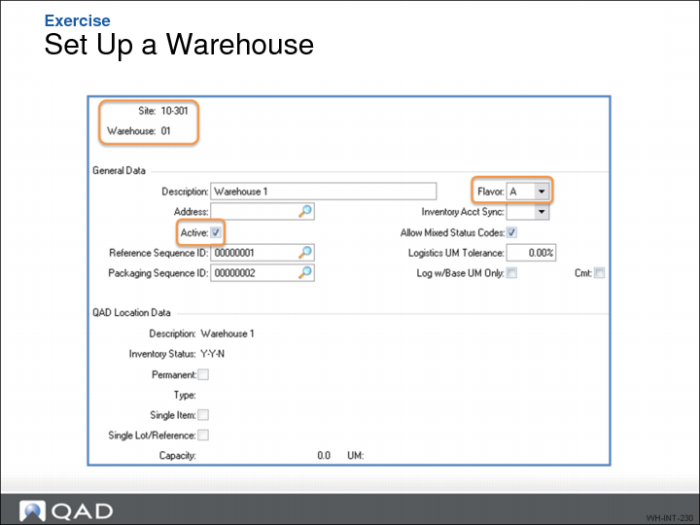
Exercise - Set Up Warehouses
Did You Know
You can configure the frequency and need for scanning at the warehouse maintenance level. Too much scanning reduces productivity, too few scans reduces accuracy.
Exercise
Warehouse Maintenance controls many warehouse parameters and provides configuration defaults for many subsequent screens.
Use the following to help set up the warehouse:
1 Ensure QAD Warehousing is active using Warehouse Management Control.
2 In Warehouse Maintenance, define Warehouse parameters, then note the parameters you enter here:
Field | Data to Enter |
Site | 10-301 |
Warehouse | |
Description (optional) | |
Reference Sequence ID | 00000001 |
Packaging Sequence ID | 00000002 |
Start Picking Level | 10 |
End Picking Level | 20 |
Note: The End Picking Level is different from Warehouse 01. In the new warehouse, there are only two picking zones versus the three in Warehouse 01.