Setting Up Many of the Same Type of Location (Continued)
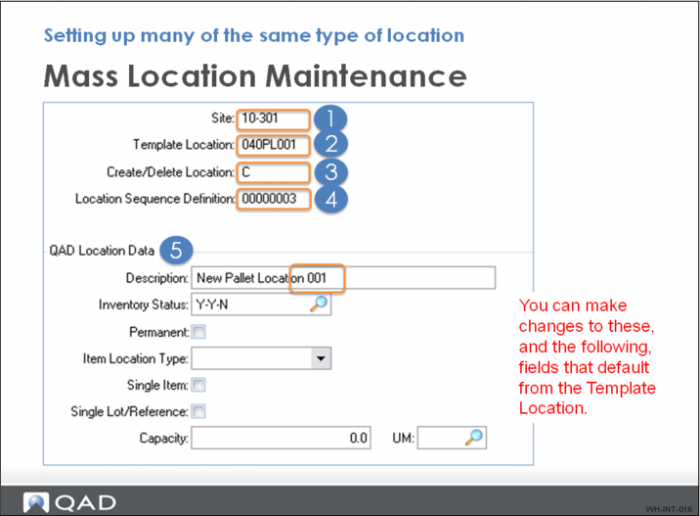
In Mass Location Maintenance, you:
1 Enter the site for the new locations.
2 Enter the Template Location. This is location already set up in QAD Warehousing and should have similar characteristics.
3 The Create/Delete Location field determines whether you can create or delete a location. To create locations, you need a template location defined; however, a template location is not required to delete locations.
4 Select the sequence definition you use to create the locations.
5 Adjust the fields in the remaining frames to customize the new locations.
The description you enter here defaults to all new locations created. It is a good idea to keep this generic rather than assign a number.
6 Click through all frames (mandatory) before selecting Back to trigger the mass location creation process.