Exercise - Receive - Navigate
Receiving uses standard QAD core functionality and screens.
The following topics present screen navigation hints when you are not familiar with processing a receipt.
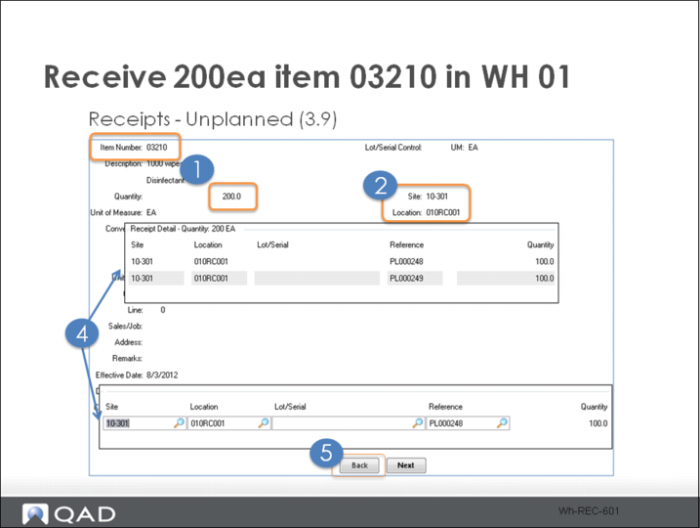
1 .Enter the item and quantity.
2 Confirm that the site (10-301) and location (your receiving location) are correct.
3 Click Next.
Two frames display the receipt load information.
4 Click Back to navigate to the first frame.