Replenishment Via the RF
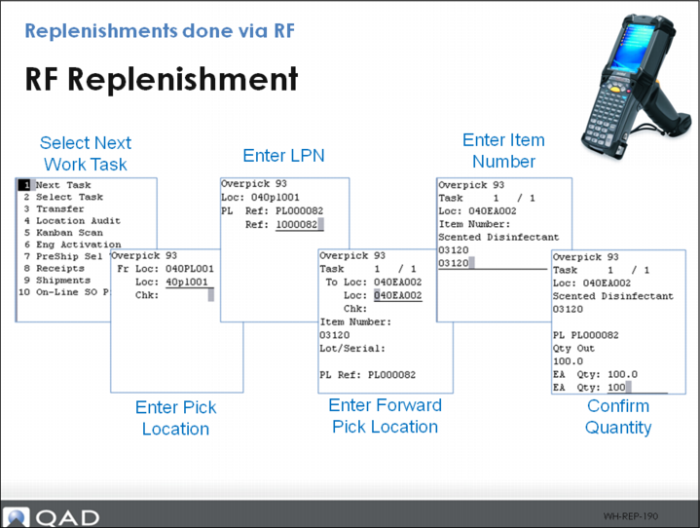
When replenishment pick tasks are created and released, warehouse staff can us the RF device, using Next Task (RF1.1) to complete the transaction.
Staff can use the overpick replenishment to pick for the replenishment. They can scan the source location, then scan the pallet number, shown as the Ref field in the graphic above.
To replenish a bin, scan the destination location, then scan the items, then enter the quantity that fits into the location, attempting to completely fill the location.