Exercise - Generate Replenishment Tasks
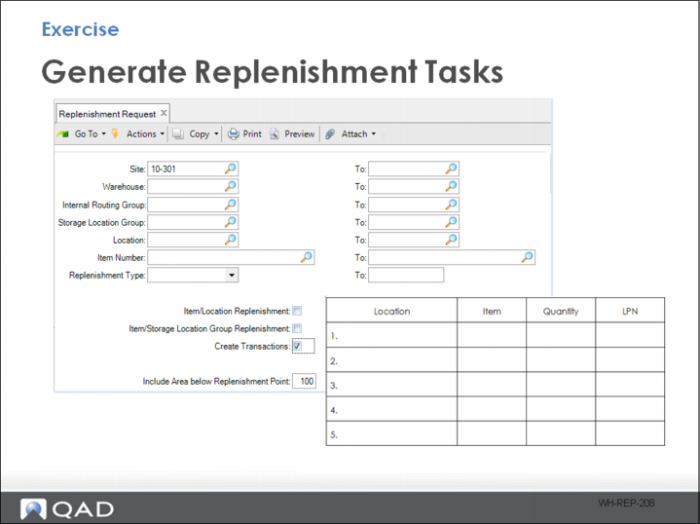
With the current setup, you generate replenishment tasks manually using Replenishment Request. Enter your site and warehouse, and select Create Transactions to generate available replenishment tasks.
1 Review Inventory Detail Inquiry to observe pending replenishment tasks.
2 Use Movement Confirmation Workbench to complete open move tasks.
When done correctly, new inventory positions are in the forward pick locations, and inventory is decremented from the reserve pallet storage locations. Fill in the details here:
Location | Item | Quantity | LPN |
1 | | | |
2 | | | |
3 | | | |
4 | | | |
5 | | | |
6 | | | |
7 | | | |
8 | | | |
9 | | | |
10 | | | |
When this exercise is correct, new inventory positions are in the forward pick locations and inventory is decremented from the reserve Pallet storage locations.
Also, note several of the inventory positions do not have an LPN. Do you know why?