Line Slide Replenishment (Continued)
Create the replenishment task:
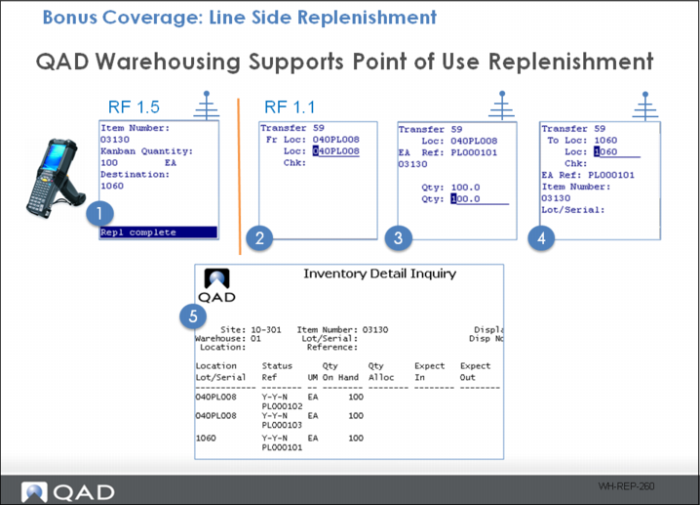
1 Using the Kanban Scan menu (RF1.5) enter the item number, quantity and destination location.
2 Process the replenishment task.
3 Back out of RF1.5 (or process as a different user) and enter the Next Task menu (RF1.1). Confirm the replenishment pick location.
4 Confirm the Reference number and quantity.
5 Enter the destination (drop) location.
6 Review the new inventory positions.