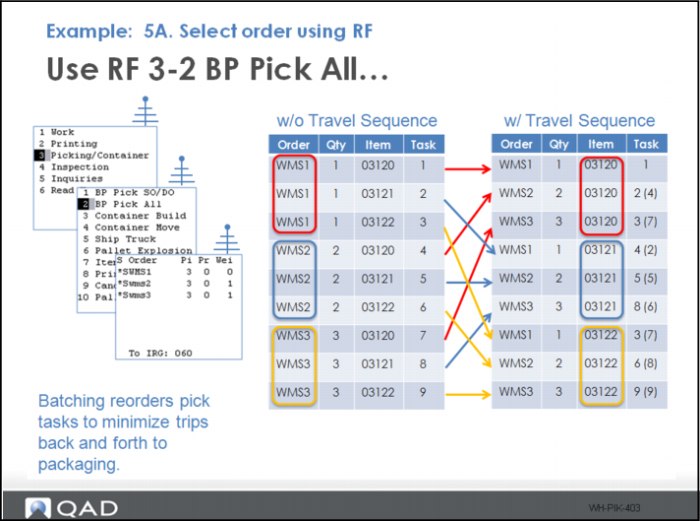
Example 5A - Select Order Using RF
With a travel sequence assigned to each location, create and release 3 orders (see step 4).
1 Select option 3, Picking/Container.
2 Select option 2, BP Pick All.
3 Select all the orders for picking.
The picks are now sorted by item/ location rather than order.