Release and Pick an Order
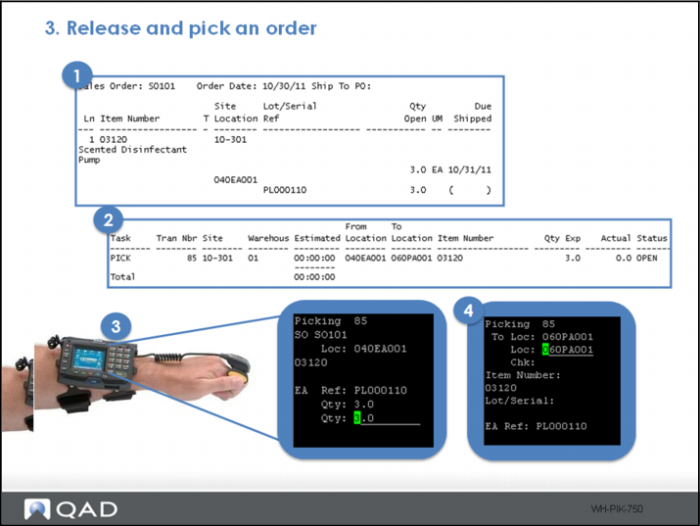
To demonstrate the product flow and delayed task creation, first release and pick an order:
1 Release an order using Picklist/Pre-Shipper – Automatic.
2 View the pending task using Task Load Report. Note, only one task is created for a pick; nothing yet for the subsequent transfer.
3 Process the pick.
4 Drop at the packaging area.
Note: The finger scanner, shown in the graphic above, replaces hand-held scanners.