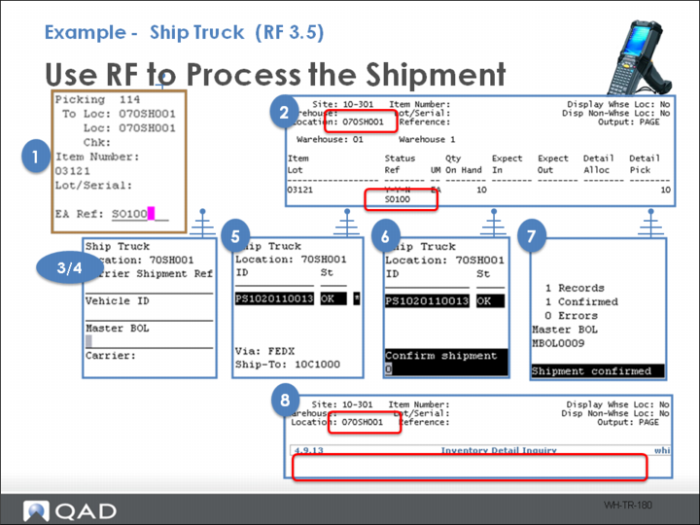
Example - Ship Truck (RF 3.5)
On the RF, an asterisk next to the shipper indicates open tasks exist. Tasks include:
1 Drop a pick at a shipping location.
2 Confirm the load is in shipping.
3 Log into Ship Truck (3.5).
4 Select the shipping location.
5 Select the shipment.
6 Approve the shipment.
7 View Shipment Confirmed on RF screen.
8 Confirm the shipment removed from QAD Warehousing.
When specifying the carrier when confirming, the RF validates that all shippers being confirmed belong to a service of the carrier.
The system may send an process end of day (PEOD) message to the TMS prior to confirming the shipper issue inventory transactions.