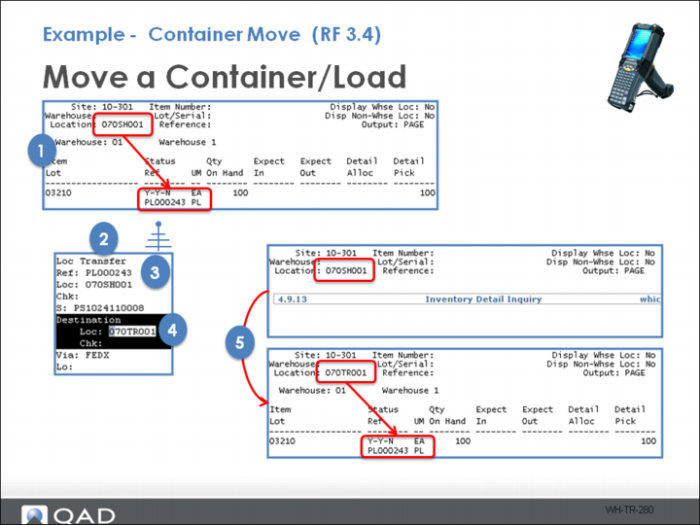
Example - Container Move (RF 3.4)
Moving a container or load might be helpful to indicate an packing or consolidation of an order is complete and it is ready for shipment. You can do this by setting up locations and assigning a Storage Type as Stage or Truck. These Storage Types are used as selection criteria with a Container Move Algorithm.
When using Container Move (RF option 3.4), the system promotes a drop location but you can select an alternative.
Steps include;
1 Identify a load in a shipping location (identify the shipper).
2 Log into Container Move (RF 3.4).
3 Select the LPN to move.
4 Select the drop location.
5 Confirm load was moved.