Containerization Setup
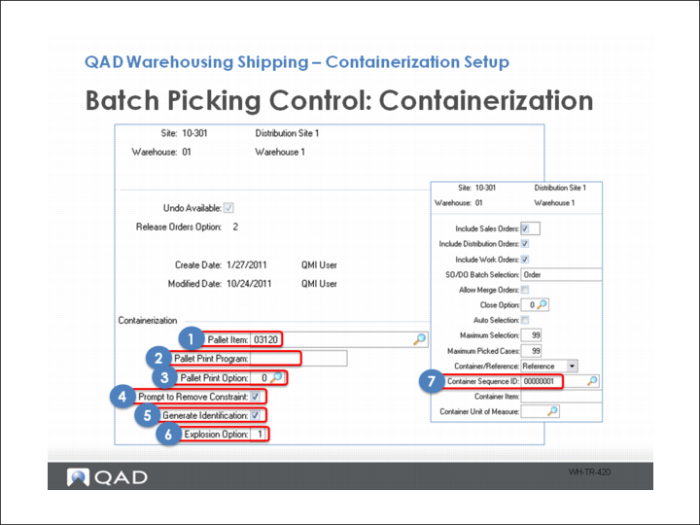
Containerization includes the following steps:
1 Enter the default pallet container item.
2 Define the program to use when printing labels for pallets. The default program is whprtpal.p.
3 Determine if you print pallet labels automatically, not at all, or prompt to print labels.
4 Indicate if you want the system to prompt the user to remove a container.
5 Define if the system generates a new container ID when using the RF Container Build menu option.
6 Explosion Option: Specific whether the system prompts the user to enter the number of boxes or splits the items into boxes when you explode the pallet.
7 Also, make sure a Sequence Definition is assigned to the Container Sequence ID on the initial Batch Picking Control frame.