Example - RF 3.3 Container Build
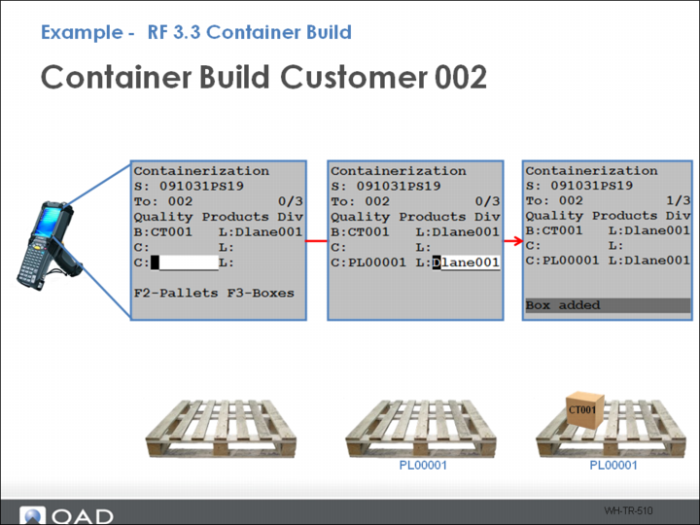
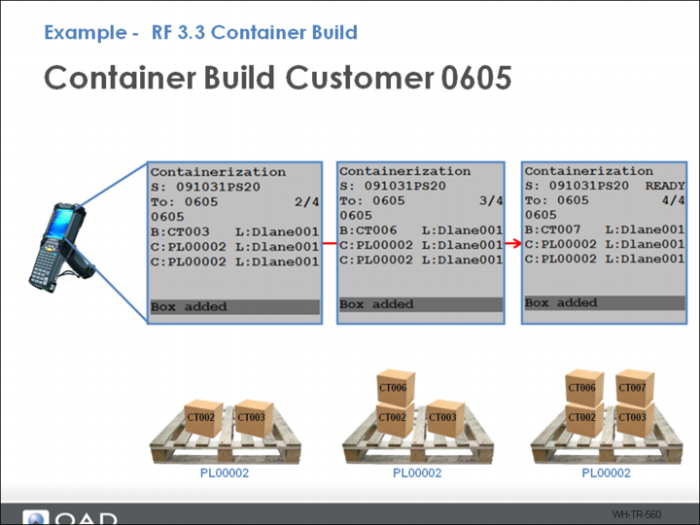
When Batch Picking Control Container options are configured, use RF 3.3 to build a container from the different boxes/items on the order.
Example - RF 3.3 Container Build (Continued)
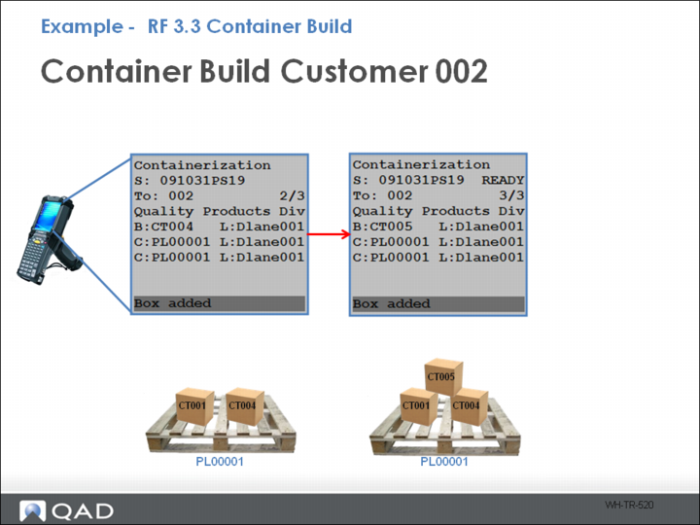
Add as many boxes as needed using the Container Build option.
Example - RF 3.3 Container Build (Continued)
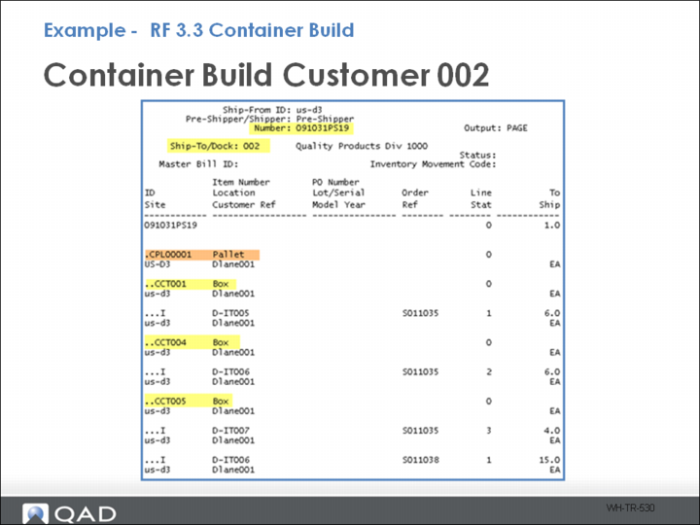
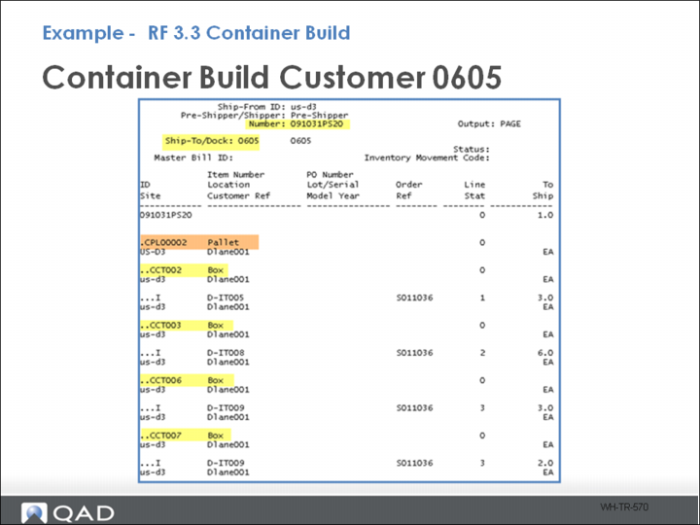
The new Pre-Shipper/Shipper Inquiry shows the new container contents for the first customer.
Example - RF 3.3 Container Build (Continued)
Follow the same process to build a container for the next customer.
Example - RF 3.3 Container Build (Continued)
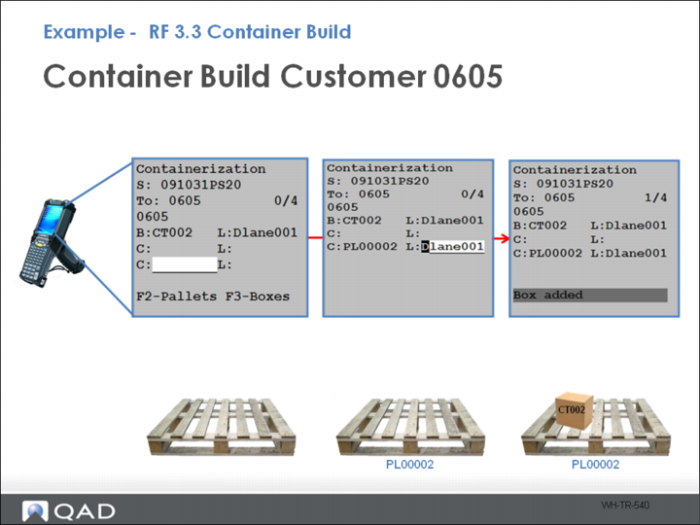
Follow the same process when building containers for customer 0605.
Example - RF 3.3 Container Build (Continued)
Continuing on with customer 0605, view container data in Pre-Shipper/Shipper Inquiry.