Inspection
>
Determine Product Flow through Inspection
Determine Product Flow through Inspection
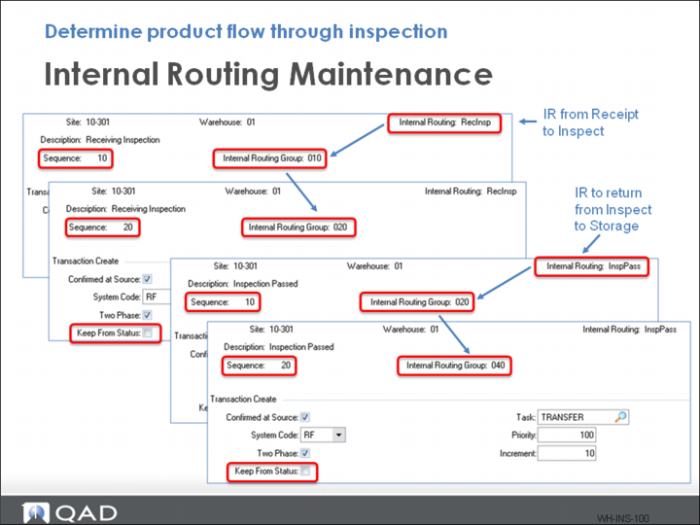
Set up a routing for moving from receiving (010) to inspection (020) and from inspection (020) to storage (040).
To keep inventory status codes correct, uncheck the Keep From Status field in the Sequence 20 of both routings. This allows the inventory status code to change as the product moves into the new area. If checked, inventory keeps the previous status that it had when it is moved into the new area. In this example, you change the inventory status when the product moves into inspection so you uncheck this field.