Example - Add Inspection Comments/Change Quantity (Cont’d)
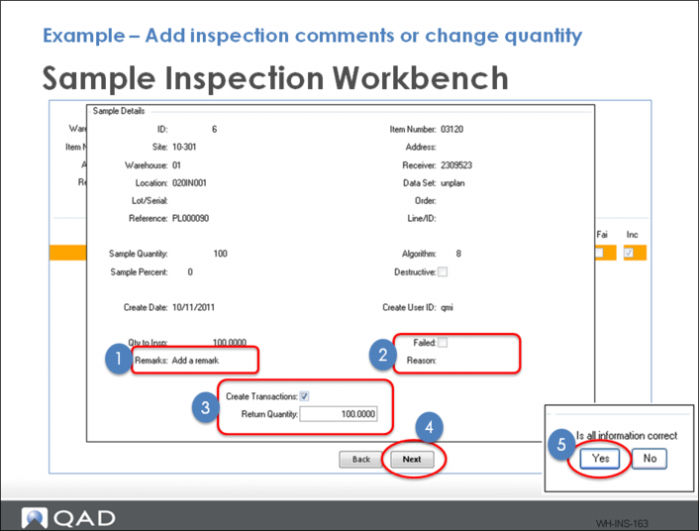
In the Sample Inspection Maintenance frame, before confirming the inspection you can:
1 Add a remark.
2 Fail the inspection.
3 Change the inspection quantity.
4 Clicking Next.
5 Select Yes in the next frame confirms the inspection results and creates a BACK movement transaction to storage.