Inspection
>
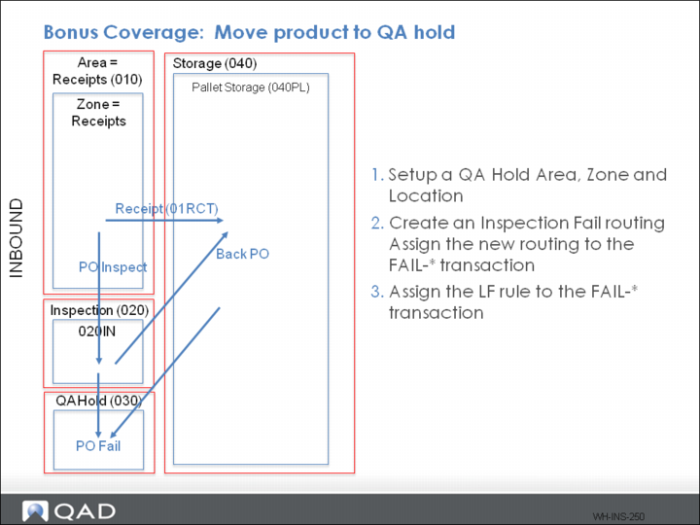
Bonus Coverage: Move Product to QA Hold
Bonus Coverage: Move Product to QA Hold
Setup
1 Setup a QA Hold Area, a zone, and a location.
2 Create an inspection fail routing; then, assign the new routing to the FAIL-* transaction.
This is a one sequence routing with the destination Area
3 Assign the LF rule to the FAIL-* transaction.
4 Use Sequence 10 = 1.
Process
1 Receive an item requiring inspection.
2 Complete the moves.
3 Fail the open inspection.
4 Confirm the items in inspection and storage are moved to QA Hold Area.
5 Complete moves.
6 Confirm inventory status for all failed items.
Note: This process works when the entire load is inspected. If the load is split between storage and inspection, the inventory status of all items changes to FAIL, and the partial load in storage is moved to the reject area. However, the partial quantity in the inspection area is not moved. You need to further review the internal routing setup and failed quantity confirmation.