Example - Change Task Priorities
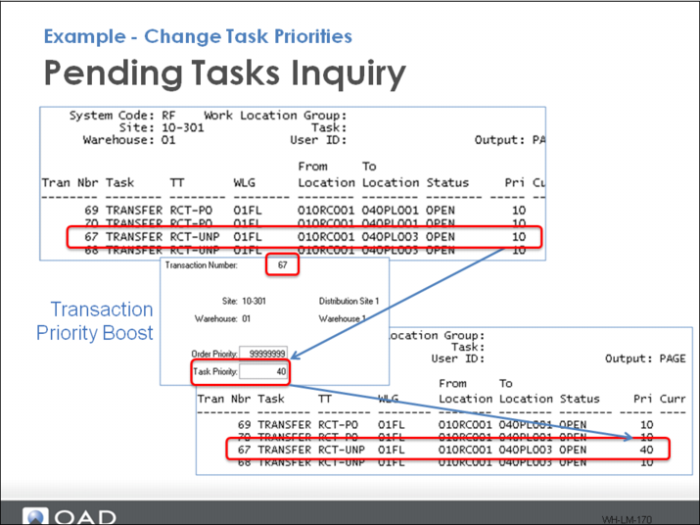
Use Task Load Report to view pending tasks, then use Transaction Priority Boost.
In the example above, the priority increased from 10 to 40. The next time a user logs in to Next Task and is assigned Transfers, they receive this transfer task, assuming there are no other accessible tasks with a higher priority than 40.