Define Tasks Best Suited for the User
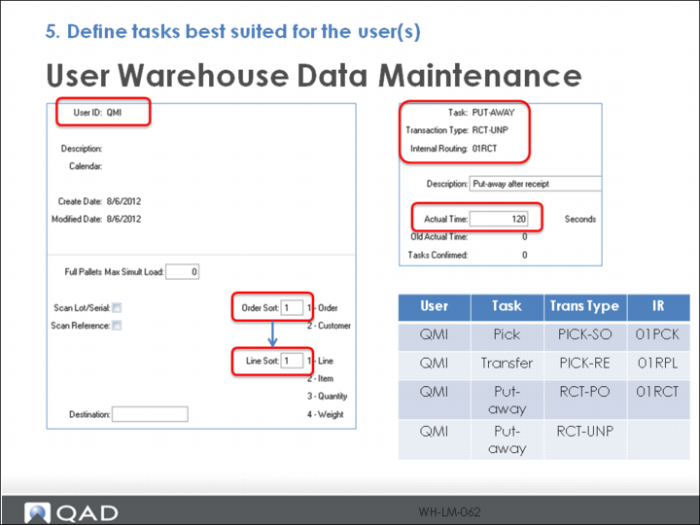
Define the task times expected for each user using User Warehouse Data Maintenance.
1 Enter the User ID
Enter 1 for Order Sort and Line Sort; refer to User Guide: QAD Warehousing for more information on these fields.
2 Define the Task, Transaction Type and Internal Routing this user can perform
3 Optionally, assign an estimated time to complete in Actual Time (the standard).
The chart in the lower right represents other task combinations you can assign to the QMI user and other user for a more detailed demonstration of labor tracking.
Note: Need to determine if this step is necessary. (i.e. will User Warehouse Date Browse populate if this information is not setup?) As of 8/7/12 it appears as long as one Task configuration is setup for the user, all other tasks the user completes will self populate. Why?