Executing Labor Tracking (continued)
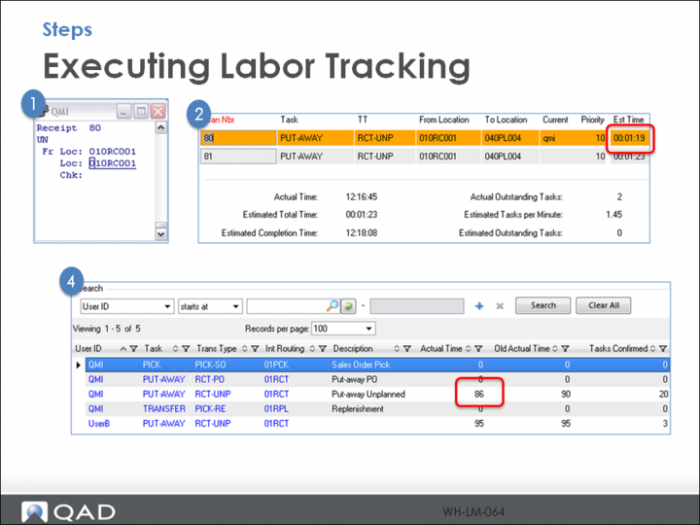
When the task (80) is accepted by RF user QMI:
1 Labor Management Workbench shows the task assigned to qmi and the Est Time (1.19) to complete the task. The Est Time column is pulled from the data in Task Time Maintenance for the Task combination and automatically updated if Labor Management Control is active. The display also shows the Estimated Completion Time to process the open tasks.
2 When the put-away tasks are complete, a review of User Warehouse Data Browse shows the updated Actual Time to complete the most recent put-away task. This field is updated each time the Task combination is complete when Labor Management Control is active. The Old Actual Time column is updated by running Recalculate User Task Times.
Note: When Labor Management Control is active, the Actual column in User Warehouse Data Maintenance updates each time a task is complete else it updates only with Recalculate User Task Times. The Old Actual Time updates when you run Recalculate User Task Times.