Executing Labor Tracking (continued)
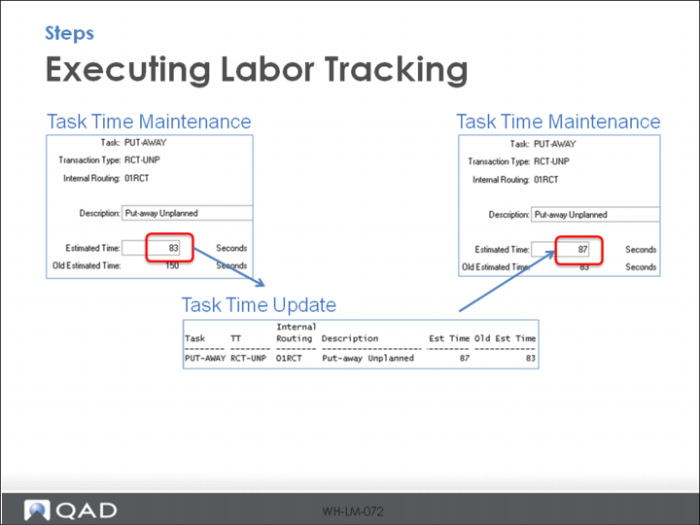
To change the Est Time column in Labor Management Workbench and Update the Expected Picks Per Hour in Productivity by User Report, change the data in Task Time Maintenance.
You can either manually enter a time in Estimated Time or run Task Time Update. Manually entering a number is used if you developed a specific time based on observations and/or calculations.
Task Time Update brings in the last system recorded time for the task and is an average of the last transactions.