DRP Modes
You can run DRP in three operational modes:
• Net Change
• Regenerative
• Selective
You can run DRP for more than one site at a time. Since this may take some time to process, consider using batch mode.
Note: If the sites being updated are in different domains and the domains have incompatible code pages, you must run DRP in batch from the character UI using the appropriate Unicode parameters. See User Guide: QAD System Administration for details.
Net Change Distribution Plan
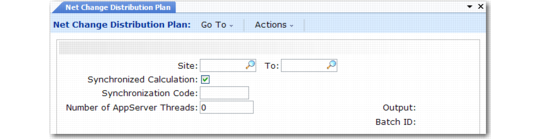
Net Change Distribution Plan (12.13.1) recalculates demand only for items with MRP Required set to Yes in the item planning data.If Update MRP Flags in Transportation Network Maintenance (12.5.5) is Yes, the system sets the MRP Required field for DRP items at that receiving site to Yes. DRP then plans for that receiving site the next time it is run in net change mode. The system also sets an item’s MRP Required field to Yes when demand data or item planning parameters change for that item.
Note: Set Update MRP Flags in Transportation Network Maintenance to Yes only when you make changes that impact DRP calculations.
Net Change Distribution Plan (12.13.1)
Regenerative Distribution Plan
Regenerative Distribution Plan (12.13.2) and Net Change Distribution Plan produce the same results. However, net change often runs more quickly. It looks only at distribution items that have had a change in inventory information, design, forecast, cost, and so on since DRP was last run. Regenerative DRP plans for all items in the site’s domain.
Selective Distribution Plan
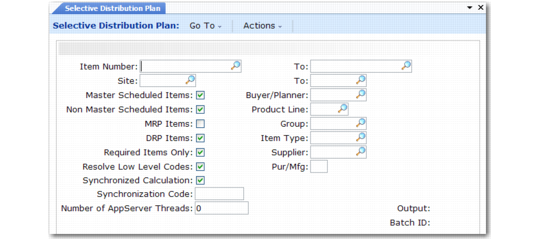
Selective Distribution Plan (12.13.3) lets you select the items you want to plan. It is useful for simulations, but use it carefully. It does not always yield the same results as net change or regenerative DRP because it does not implode higher-level requirements.
Selective Distribution Plan (12.13.3)
Run Selective Distribution Plan in net change mode by setting Required Items Only to Yes. Run it in regenerative mode by setting Required Items Only to No. Plan for small groups of items by specifying combinations of buyer/planner, product line, group, item type, supplier, and Purchase/Manufacture code.