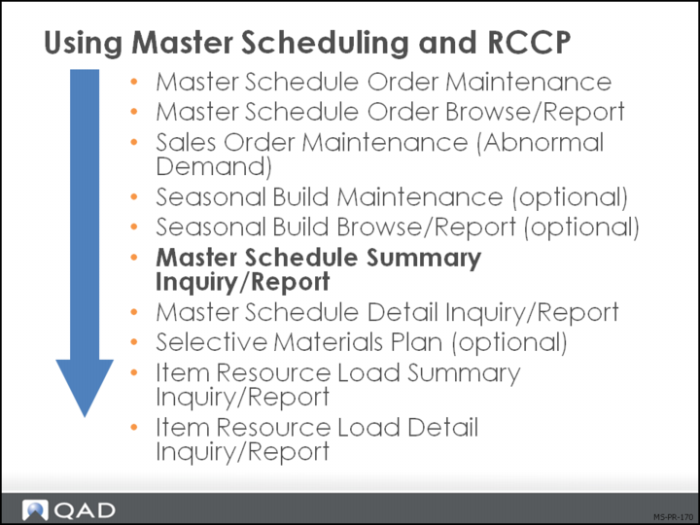
Master Schedule Summary Inquiry/Report
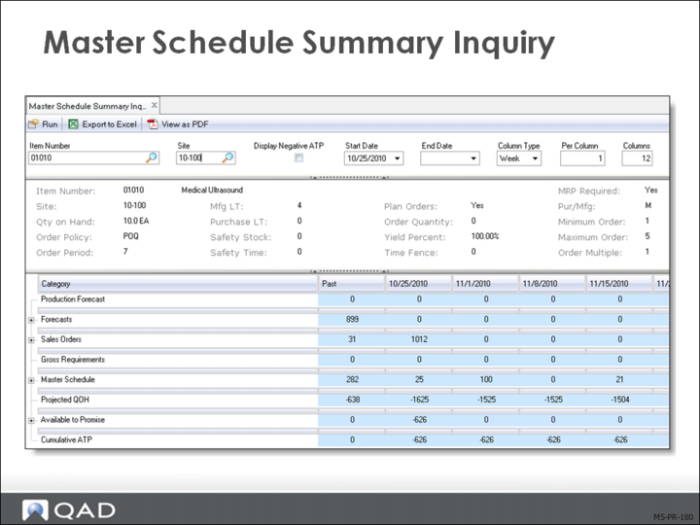
Master Schedule Summary Inquiry
The master schedule summary is the single most crucial screen for planners to understand. It highlights:
• Production forecast, which is the system calculated forecast used in multilevel master scheduling
• Forecast, either manually loaded or from Simulation to Summarized Forecast or independent demand entered in Forecast Maintenance
• Sales orders, demand derived from sales orders, required ship schedules, independent demand entered in Sales Order Maintenance
• Gross requirements, the sum of an item’s requirements from:
• Forecasts
• Higher level products
• Confirmed sales orders
• Required ship schedules
• Service items
• Intersite orders generated by DRP
Gross requirements do not take into account inventory on hand or scheduled receipts.
• Manufacturing requirements from a parent work order
• Can be both master scheduled and a component on a multilevel bill
• May be intersite demand in DRP environment
• Master Scheduled Receipts, the total scheduled receipts for an item from:
• Work orders
• Repetitive schedules
• Master schedule orders
• Purchase orders
• Distribution orders
• Projected quantity on hand (QOH), a system calculated period-by-period projection of an item’s on-hand balance plus scheduled receipts minus gross requirements
• Available-to-Promise, the uncommitted portion of inventory or planned production calculated by deducting real demand from real supply.
• Seasonal Build, the quantity in inventory for that period NOT INCLUDED in available-to-promise quantity.
Available-to-Promise Calculation (QAD Enterprise Applications methodology)
• Beginning QOH
• + Master schedule receipts
• - Gross requirements
• - Sales (until next master schedule)
• - Increased seasonal build
• + Decreased seasonal build
Order Promising
The completed master schedule provides a basis for order promising. Order promising simply verifies whether a sales order can be filled within a specific time frame given other demands and the currently scheduled supply orders.
Available-to-Promise (ATP)
• Shows true day-to-day supply available to fulfill incoming sales orders
• Order promising verifies whether a sales order can be filled within a specific time frame
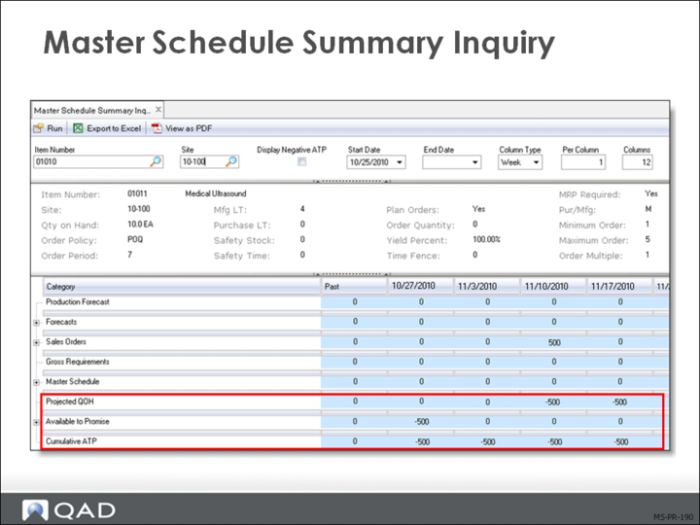
• Check Avail Promise row of the Master Schedule Summary Inquiry (22.18)
• Tracks real supply against real demand
• Does not factor in Forecast or Prod Forecast quantities
• Does factor in Seasonal Build
• Increase in Seasonal Build decreases ATP
• Decrease in Seasonal Build increases ATP
The calculation occurs on any date when a Master Sched receipt is due or a Seasonal Build quantity is made available and a net increase in supply is caused.
• Includes all sales orders and gross requirements up to the next increase in available supply
Calculation
Master Sched – Sales Orders – Gross Requirements – Seasonal Build net increases + Seasonal Build net decreases = Available-to-Promise
Warning Sales orders can use ATP from the past, which can be confusing when interpreting the calculation.
This is true except in the first instance of available-to-promise on a summary screen.
To start the ATP out, the beginning quantity on hand is added.
In the Past columns of the daily Master Schedule Summary (as well as in the weekly and monthly displays), ATP is Time Period sensitive (Net Amount):
• All uncommitted supply that can be promised to new sales orders is shown
• The ATP is decremented during sales order entry and is revised immediately
Cumulative Available-to-Promise (ATP)
Classic ATP only calculates a value in the first period if there is on hand balance or in any period with a master schedule order due. Using this rule the second period above does not have an ATP value. In Cumulative ATP an unconsumed portion of a periods ATP may be carried forward until it is consumed. Using this rule the second period has ATP carried forward from the first period.
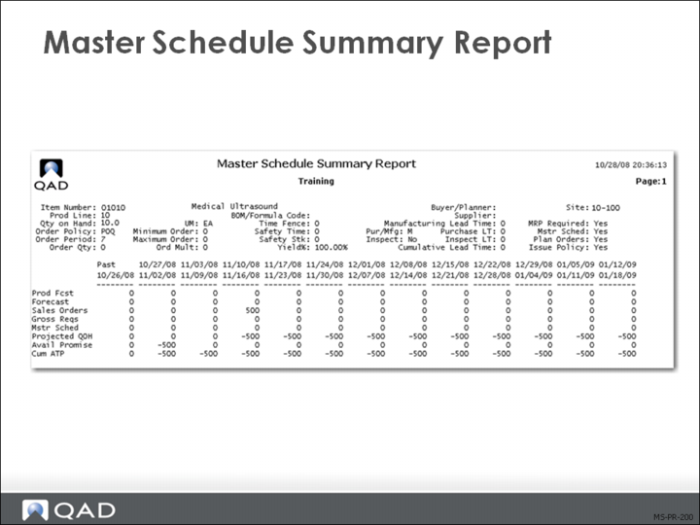
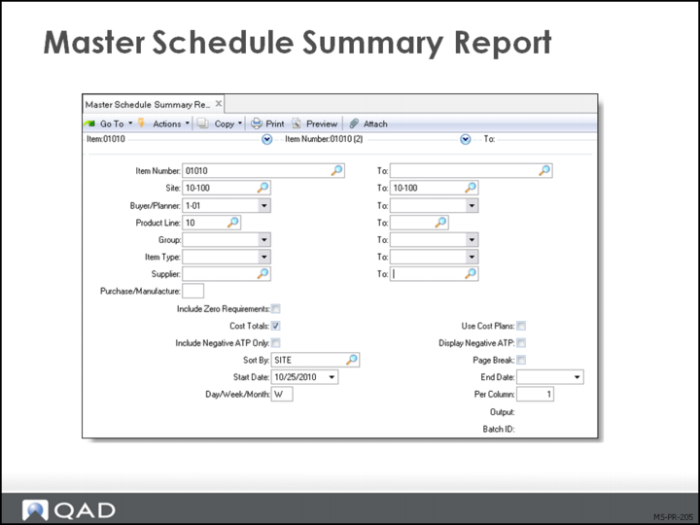
Master Schedule Summary Report
The inquiry is always for a single item at a single site. You can specify a start and end date and the bucket type and number of bucket periods per column.
The report:
• Provides a printed copy of the Master Schedule Summary Inquiry
• Gives costing data of the quantitative data displayed
While the data displayed on the MPS summary report (shown above) is the same as the MPS summary inquiry (previous page). The selection screen offers considerably more flexibility than the inquiry.
Master Schedule Summary Report
The report allows a broad range of selection criteria. Whether printed to paper or viewed on the terminal, this report gives the master scheduler a powerful tool for reviewing the schedule.