Selective Materials Plan
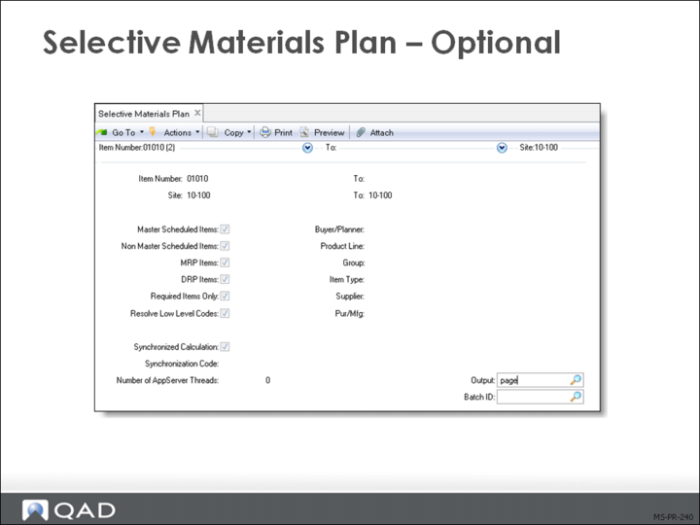
Selective Materials Plan (23.3) lets you plan master scheduled items separately from MRP items. If you use the computer-assisted approach to master scheduling, you may want to run Selective Materials Plan as follows:
• Run Selective Materials Plan for master scheduled items only
• Adjust the master schedule and rerun Selective Materials Plan as needed
• Run Selective Materials Plan for MRP-scheduled items only
MRP provides time-phased balancing of: supply and demand for purchased and manufactured items. It uses the master schedule and all other sources of demand and supply to:
• Calculate gross requirements and projected on-hand inventory
• Schedule and plan orders
• Produce action messages for managing the materials plan
Selective MRP runs as Net Change (MRP Required = Yes) or as Regenerative (MRP Required is No). It plans only the items selected, passing down gross requirements to the next unselected level, but not replanning orders. Net Change Materials Plan (23.1) and Regenerate Materials Plan (23.2) items are based on low-level code, generating requirements at the top level first, then down through the structure one level at a time
Selection can be based on:
• Item Number
• Site
• Buyer/Planner
• Prod Line
• Group
• Item Type
• Supplier
• Pur/Mfg
One or both of the Master Scheduled Items or Non Master Scheduled Items fields must be Yes. The same is true of the MRP Items and DRP Items fields.
Replanning Master Scheduled Items
When master scheduled items are selected, orders are planned for parent items and gross requirements are passed down to the next-level components and will not be replanned. No orders are planned for the components.