Creating Credit Terms
Use the Credit Terms activities (36.1.10) to create, view, modify, or delete a credit terms code. Only credit terms that are not referred to elsewhere in the system can be deleted.
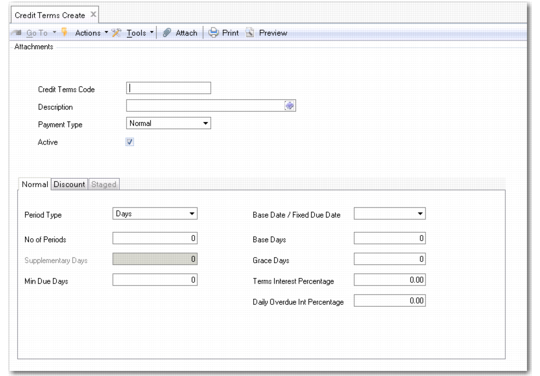
Credit Terms Create
Field Descriptions
Credit Terms Code
Specify a code (maximum of eight characters) that identifies this credit term. You cannot modify existing credit term codes. This field is mandatory; the code cannot be blank.
Description
Enter a brief description (maximum 40 characters) of the credit term. This field is mandatory; the description cannot be blank.
You can optionally enter descriptions in more than one language. See User Guide: Introduction to QAD Enterprise Applications for more information on the Translation Option.
Payment Type
Select the type of payment: Normal or Staged.
The payment type determines which tabs can be used to configure the credit terms code. Normal and Discount are used with normal payment type; Staged is used with the Staged payment type.
Active
Indicate if this is an active record.