Leveling in QAD Lean
Leveling Functions
In this part of the class, we’ll look at the basic functions for leveling volume and mix in the system, and for using the leveled schedule to drive other processes and projections. Specific functions we’ll look at include:
• Takt Time
• Level Mix Workbench
• Supermarket Workbench
• Integration with Flow Scheduling and MPS
We’ll first return to the subject of takt time that we discussed earlier in the class and spend a little more time considering why it’s so important to planning and execution processes.
Takt Time: Drumbeat
Takt time represents the rate of output from your supply chain if you are fully synchronized with your customers: one visor every 30 seconds, a completed fork lift truck every 20 minutes, one aircraft every 5 days 4 hours and 12 minutes, etc. Operational takt time represents the rate of output from the supply chain taking into consideration customer demand, adjustments to inventory buffers, and any temporary work time adjustments.
Ideally, takt time should equal operational takt time. However, there will be times when they will not be equal. When the inventory buffer is being increased to compensate for increased levels of demand variability for example, the operational takt time will be smaller (more units need to be produced in the same period of time). Or if the inventory buffer is being reduced, because of increased flexibility in the factory, the operational takt time will be larger than the takt time (fewer units need to be produced in the period of time). Or if the takt time cannot be met based on normal working time and the current cell design, temporarily increasing the available time through temporary overtime or a Saturday ship will reduce the operational takt time.
Both calculations are very important. In the long run, the least costly way to operate is to meet customer demand without increasing inventory levels and without running overtime or with additional shifts. However, it might not be possible in the short term to meet the takt time given the design of the cell and the number of operators available. Or there might be a need to increase output levels because demand variability is increasing and more inventory is needed. Running at pure takt time is the ultimate objective, but in the short term it may be necessary to run at a different rate.
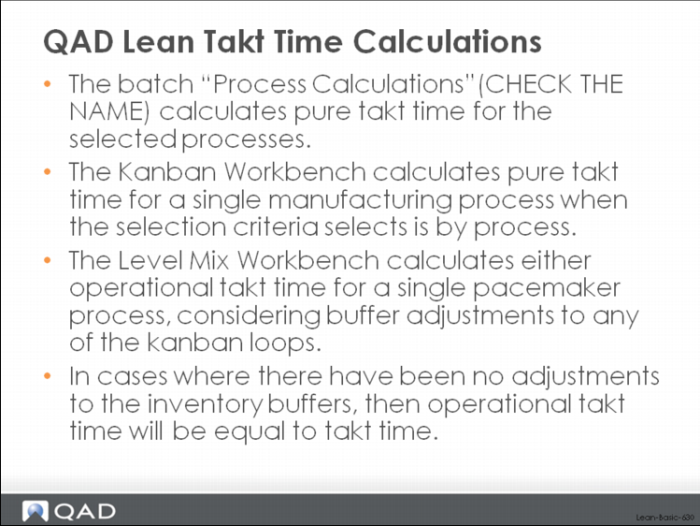
QAD Lean Takt Time Calculations
Do we need takt time for all processes?
Knowing the takt time for pacemaker processes is essential. Takt time for the pacemaker sets the drumbeat for all upstream processes (where the pull system is operating) and downstream for the FIFO processes through which the product must flow to get to the customer.
Running to takt is also essential for establishing level demand for the upstream materials. If you have leveled the schedule and then are producing at takt, then you should be withdrawing materials at a leveled rate as well, which will send an image of the drumbeat to the upstream processes in the form of pull signals, as well as flowing product to the downstream FIFO processes at the same rate.
Leveling and the QAD Lean Level Mix Workbench
The Level Mix Workbench in QAD Lean provides a comprehensive tool for leveling both the volume and mix of products produced in each pacemaker. Leveling is done considering operational takt time (takt time), the EPE Interval for the process, time scheduled per day, and time scheduled per shift. The leveling calculation has the overall objective of allowing you to create a constant production drumbeat at the pacemaker process, and with important functions for:
• Variable calendar, user-controlled horizon and time fence
• Automatic level schedule calculation
• Integrated with flow schedules
• User specified buffer adjustments to reflect agreed changes in inventory levels, in both volume and mix
• User override of schedule
• Product wheel sequencing
• Simulation processing to evaluate potential schedules before updating the system
Depending on your industry and the relationship you have with your customers, you may use the Level Mix Workbench to create a leveled plan (master schedule) to drive supplier schedules but use a conventional heijunka box for executing against real customer orders. Or the Level Mix Workbench might operate both for planning and execution: the leveled plan into the future would drive supplier schedules as well as dictate the execution schedules for the pacemaker process. How you operate is your own choice, and in some respects will be determined by the size of your customer order backlog. If you have a very short backlog (a few hours to a few days, where you are typically shipping from finished goods stock), then you’ll probably use the output of the Level Mix Workbench for planning only. However, if you are like Toyota, where the backlog of firm orders stretches several months into the future, you may use the output of the Level Mix Workbench for both planning and execution.
Leveling is a key component of managing demand variability. Even in a situation with erratic, non-linear customer demand, through the use of a finished goods supermarket and level scheduling, the demand fluctuation passed into the supply chain can be reduced substantially. Work can be done at relatively constant pace, and scheduled so that you're producing each item more frequently and carrying less inventory overall.
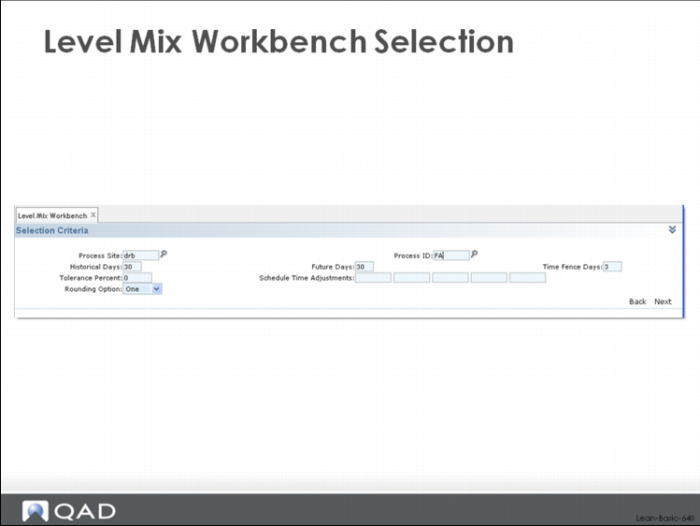
Selection for Sizing
A user can select all the kanban loops associated with a particular process source using the selection criteria screen shown above.
Major Tabs and Frames
After selection, the system will return a multi-tabbed workbench that includes:
• Process Master Data including the details of the EPE Interval calculation.
• Mix Analysis (historical and future mix, buffer adjustment)
• Schedule by Shift (Shift 1 – Shift 4, Overall)
• Level Volume and Calendar Data
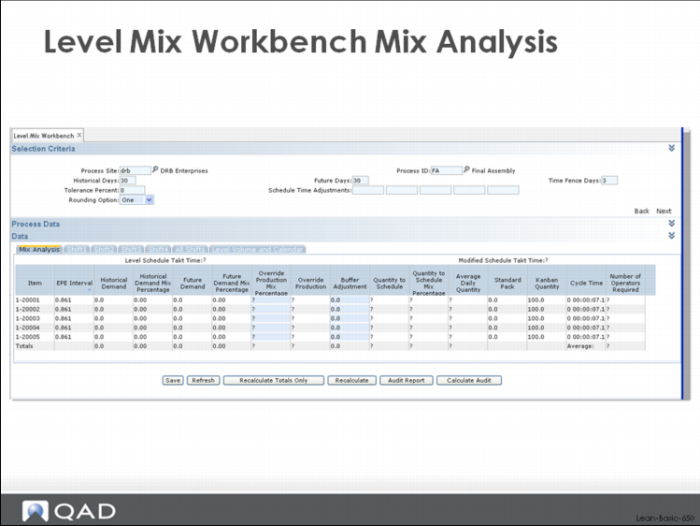
The Mix Analysis Frame, shown immediately above, displays the historical and future demands against each loop, as well as an analysis of how much each item contributed to the total historical demand and how much each item will contribute to future sales. These percentages are input to the leveling calculation unless the user specifically overrides them (Override Production Mix Percentage) or adjusts the inventory buffer (Buffer Adjustment) for one or more of the items. After making any adjustments, the quantity that will be scheduled for each part, including the average daily quantity (Average Daily Quantity) and operational takt time (Modified Schedule Takt Time) is shown.
Level Mix Workbench Level Volume and Calendar
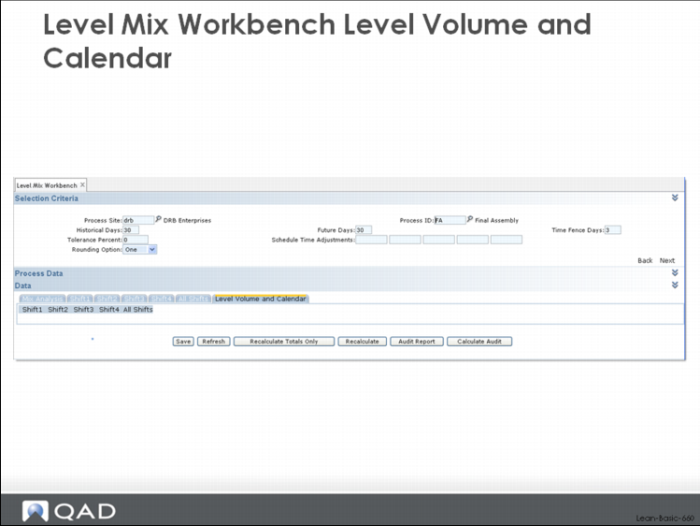
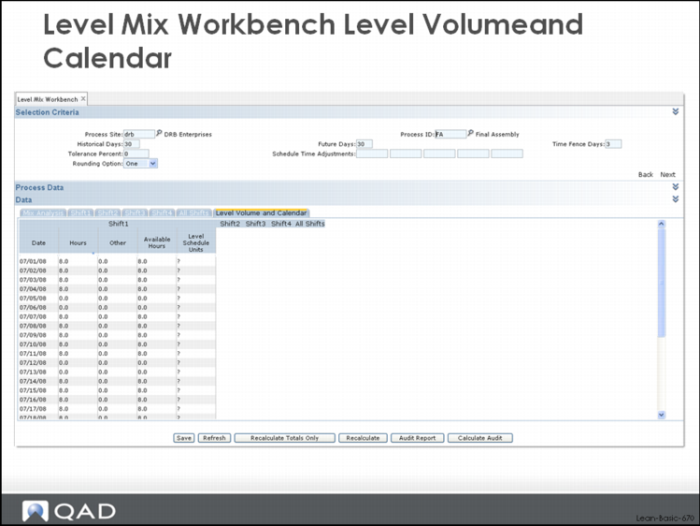
View the overall volume that is being scheduled by day using the Level Volume and Calendar tab shown above. Once you have selected this tab, the system presents five subtabs: one for each shift and one overall volume by day display. If you select one of the shift tabs (Shift 1, Shift 2, Shift 3, Shift 4), the system presents a display that allows calendar maintenance including scheduling overtime, adjusting for meetings or projects, shutdowns, etc.
The Level Mix Workbench is integrated with your shop calendar, and provides a convenient way to maintain and adjust daily time for each of five major categories. For example, you can change overtime, meetings, downtime, training hours, etc., in fact any major categories that you decide and have set up, in the workbench itself. When you save your data, the calendar will be updated accordingly. An example of the maintenance display for Shift 1 is shown below. In this display, overtime has been setup as a specific category in the calendar and it can be maintained directly in the workbench.
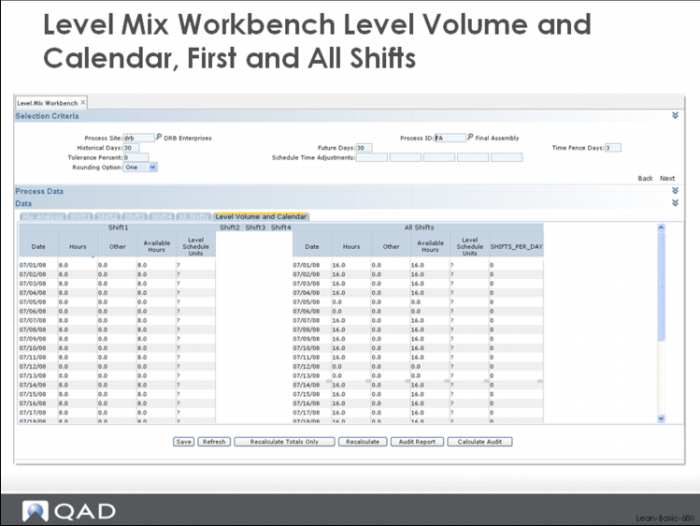
Level Mix Workbench Level Volume and Calendar, First and All Shifts
By clicking on one or more of the other subtabs you can open additional shifts or the overall volume and these will be shown side by side with the Shift 1 data. An example is shown above.
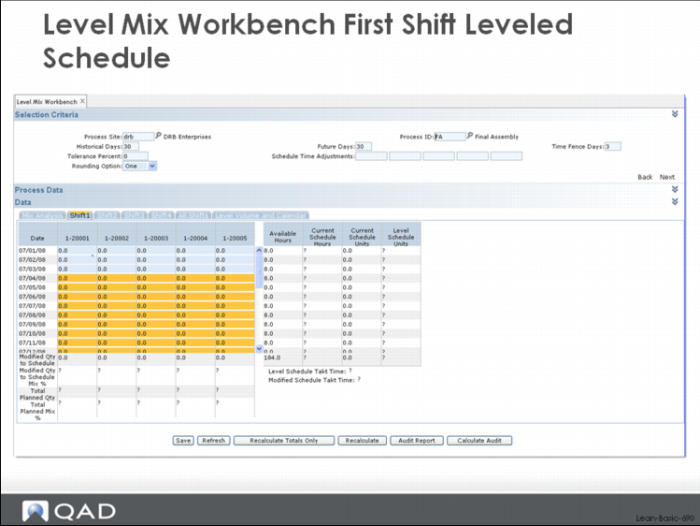
Level Mix Workbench First Shift Leveled Schedule
Once you are happy with the calendar and want to generate (or adjust) the level schedule for each part, click one of the major tabs labeled Shift 1, Shift 2, … All Shifts. An example of one of the frames is shown above.
Initially the scheduling frames in the Level Mix Workbench will show only the already scheduled work for the process. Click the Recalculate button, however, and the system will calculate a leveled schedule for each of the items. Only those periods that are beyond the Time Fence Days will be scheduled.
Each date from the current date through the end of the selected horizon is shown on the left. In the header row above these dates you can see the individual items that have been scheduled. In each cell, you can see the quantity scheduled, and to the right is the summary (hours and quantity) by date and at the bottom, the quantity scheduled for each item against the target schedule.
You can override the schedule by maintaining it directly. The cells in the display above that are shaded yellow are open to change. After changing the schedule, click Recalculate Totals Only and the system will update totals by part and by date.
This allows you to do the necessary fine-tuning and tweaking. And once you’ve done that, you can push that information back down, into flow schedules that will drive supplier schedules.
Scheduling Logic in the Level Mix Workbench
The level scheduling logic in the system has several parts:
• Scheduling at takt time.
• Quantity scheduled based on EPE Interval.
• Sequencing of work based on product wheel considerations or the number of operators required to meet takt time.
Product wheel sequencing handles situation where there’s a fixed processing sequence for products. For example, color or flavor based sequencing is a type of product wheel. In chemical plants producing polyester film, the product wheel might be based on product type (polymer), film width, film thickness.
When the number of operators in the cell varies based on the work content, it doesn’t typically make sense to float operators in and out too frequently. Consequently, an alternative might be to base the sequencing on the number of operators with all the five operator jobs first and then the ones that require four, and then three, and then two, and then one. Alternatively, you can sequence it the other way around, where you want the fewest number of operators first and the higher number of operators last. If you have a well cross-trained workforce, you might set up two different processes with the opposite rules for sequencing: one with ascending operators and the other with descending operators. This way, one process will free up operators just as the other needs them.
The workbench is a tremendous help in leveling both mix and volume. However, many times users have already invested a lot of time and effort into building their own Excel spreadsheets to provide these same functions. Here there can be similar, comfortable tools but no easy way to get the data from the core ERP system into the spreadsheet, or back out when the leveling is over.
QAD Lean provides functions to help with this problem. Specifically, the system provides an export program that you can export the data and load that into your Excel spreadsheets, and an import program to get the data out of the Excel spreadsheet and import it back into QAD Enterprise Applications.To use these functions, all that is required is that you modify your spreadsheets to:
• Read the imported data from a specifically formatted comma delimited format.
• Write data that is coming back to QAD Lean to a specifically formatted comma delimited format.
Supermarket Workbench
The Supermarket Workbench provides a picture of inventory performance into the future. In effect, it allows you to evaluate the amount of inventory that you're carrying at the supermarket compared to the future demand and your planned level schedule for material coming into that supermarket. If future demand is level, the leveled production schedule will be able to cover it with minimal inventory. However, if the future demand for an item is spiky—perhaps because of the nature of your customers and markets, or perhaps because you create the condition through promotions or other marketing initiatives—you’ll need to verify that the amount of inventory is sufficient to absorb peak demand without backorders. Having a perfectly leveled schedule and minimum variability in manufacturing is a fine objective, but if it ends up causing missed deliveries, backorders, and upset customers then it’s hard to put a positive spin on it.
Leveling is just one part of effective master scheduling. The other part is supply/demand balancing. To give the best customer service, supply and demand must be in balance. To achieve maximum profitability with minimum disruption in manufacturing, the schedule must be level, at least in terms of volume, and ideally in terms of mix of product to be produced. The Level Mix Workbench provides a mechanism to ensure that the schedule has been leveled and meets demand over the leveling horizon. The Supermarket Workbench is one tool in the system to help verify that supply meets demand by date.