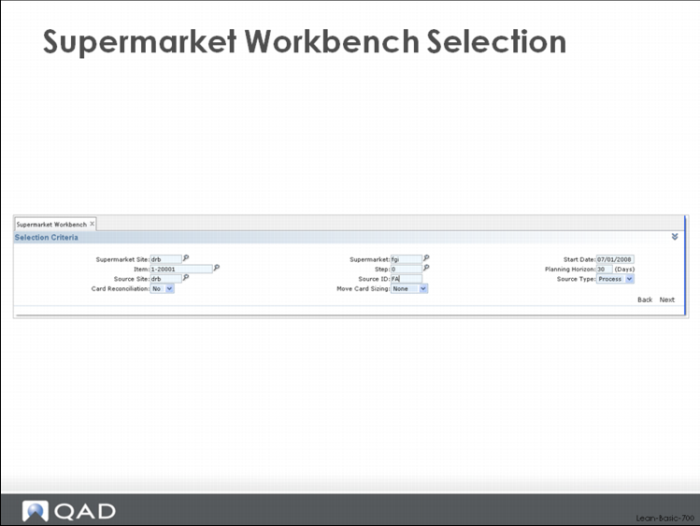
Supermarket Workbench Selection
A user can select a specific item associated with a particular process source and supermarket destination using the selection criteria screen shown above.
Major Tabs and Frames
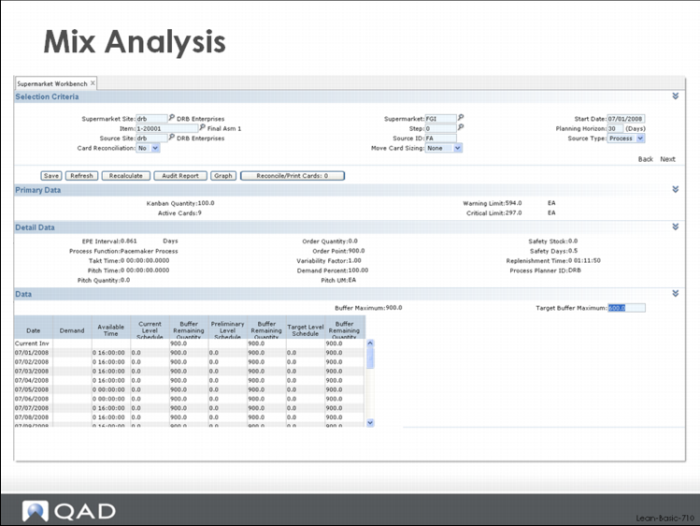
After selection, the system will return a multi-frame workbench that includes:
• Primary Data – key loop data for the item being evaluated
• Detail Data – process master data including the takt, pitch and EPE Interval data and additional loop data including order point and order quantity, safety stock and safety time, replenishment time
• Data – time phased data showing demand, several variants of the level schedule, and the inventory projection associated with each one
In the Data frame, the Supermarket Workbench shows three different variants of the leveled schedule and associated inventory:
• Current Level Schedule – this is the last stored level schedule.
• Preliminary Level Schedule – this is the calculated level schedule, calculated by the Supermarket Workbench using logic similar, but not identical, to the logic in the Level Mix Workbench.
• Target Level Schedule – this is also a calculated level schedule, using a buffer adjustment supplied from the field labeled Target Buffer Maximum. However, the logic associated with this version of the level schedule applies the buffer adjustment immediately, rather than phasing it over time which might be what you would expect.
By toggling back and forth between the Level Mix Workbench and the Supermarket Workbench you can verify that your leveled schedule by item keeps supply and demand in balance. Once you are happy that this is the case, you can save the level schedule generated by the Level Mix Workbench. If you’ve set up the appropriate data in the Flow Schedule software that is part of QAD Lean, this leveled schedule by item will be saved back to the database and subsequently be used for projecting supplier requirements.
Alternatively a user of the system could use the normal MPS displays (MPS Summary, MPS Detail) to evaluate the supply demand balance situation for each of his or her items. To do this, Save the leveled schedule back to the Flow Schedule database and then call up each item, one after another, in the appropriate MPS inquiry.
User Workbenches
The workbench is a tremendous help in evaluating the level schedule. However, many times users have already invested a lot of time and effort into building their own Excel spreadsheets to provide these same functions. Here there can be similar, comfortable tools but no easy way to get the data from the core ERP system into the spreadsheet, or back out when the review is over.
QAD Lean provides functions to help with this problem. Specifically, the system provides an export program that you can export the data and load that into your Excel spreadsheets, and an import program to get the data out of the Excel spreadsheet and import it back into QAD Enterprise Applications. To use these functions, all that is required is that you modify your spreadsheets to:
• Read the imported data from a specifically formatted comma delimited format.
• Write data that is coming back to QAD Lean to a specifically formatted comma delimited format.
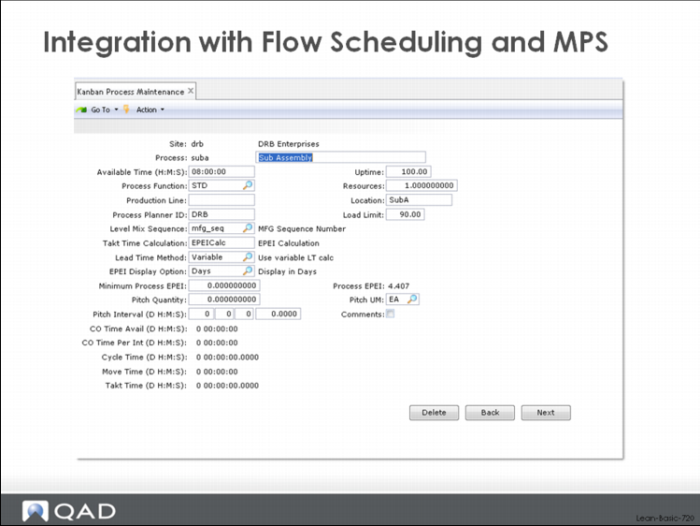
Integration with Flow Scheduling and MPS
The Level Schedule generated by the Level Mix Workbench can be saved as the master production schedule to drive supplier projections in QAD EA. This would be especially desirable in situations where different products require different components or materials.To set up the system to allow the level schedule to update the Flow Schedule, you must set up a production line in the flow scheduling system, and then reference that production line in the kanban process master to which it corresponds.For example, in the screenshot above, you would enter the appropriate production line in the Flow module in the Production Line cell. You can give the production line the same name as the kanban process, or you can name it something completely different.
Refer to the system documentation for information on setting up the production line in the Flow module itself.
Course Overview