Salespersons/Commissions
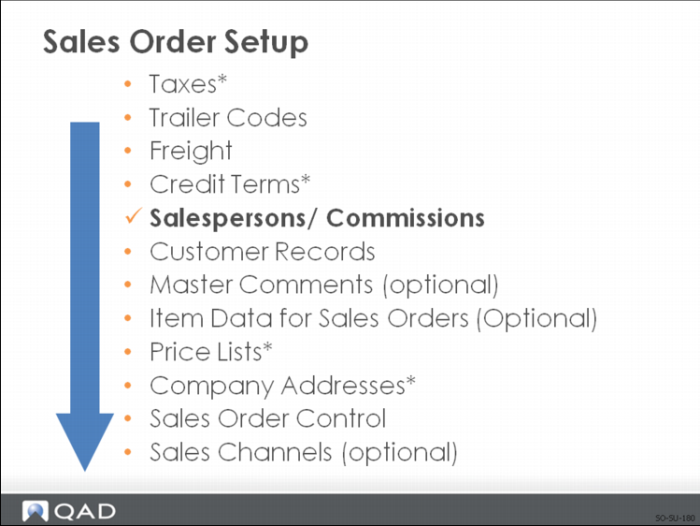
Set up salespersons before defining customers because customers can have up to four default salesperson codes
• Customer salesperson codes and the salesperson commission percentages are used as defaults on sales orders
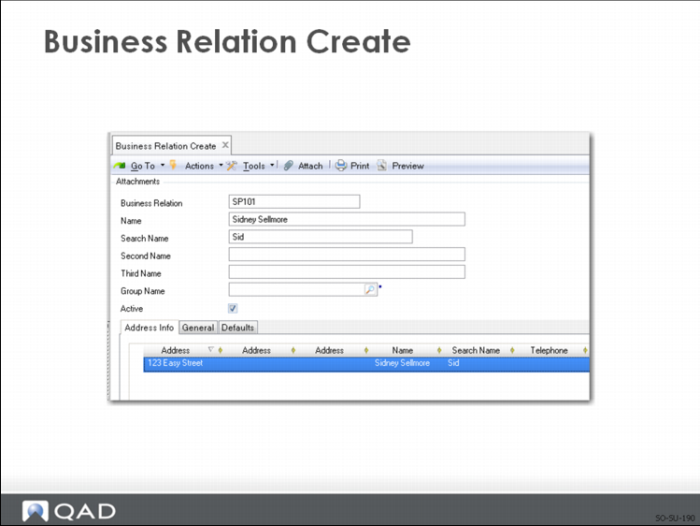
• Define a business relation for the salesperson
Business Relation Create
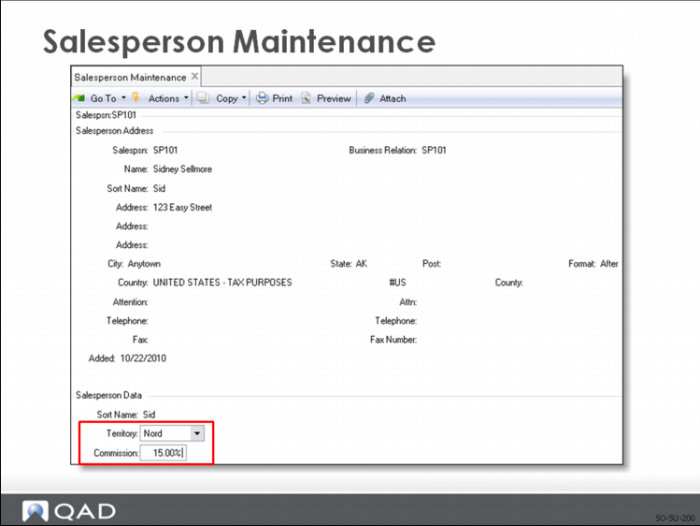
Once the business relation is created, use Salesperson Maintenance to define the territory and basic commission.
Salesperson Maintenance
Set up salespersons:
• With a default commission percentage and a user-defined territory
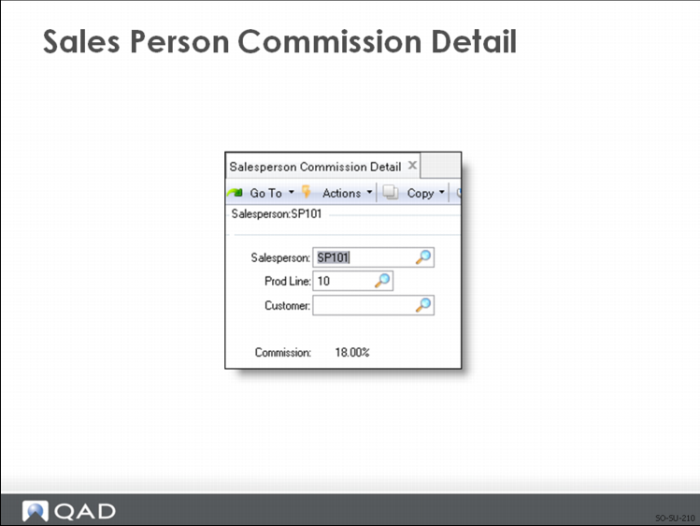
• Detailed commission percentages can be entered for product lines and/or customers
• Monthly quotas can be set up in Sales Analysis
Salesperson Payments Report lists:
• Invoices the customer has paid
• The payments credited to each salesperson
• Unapplied payments (which makes it possible to pay commissions only after the customer has paid the invoice)
Note: The Based on Sales/Margin field in the Salesperson Payment Report and Salesperson Commission Report indicates whether commission amounts are calculated based on total sales amount or gross margin of the line items. The Based on Sales/Margin field defaults from the Comm on Margin not Sales field in Sales Order Accounting Control.
Sales Person Commission Detail
Detail commission percentages let you base the commission on product lines and/or customers for the salesperson.