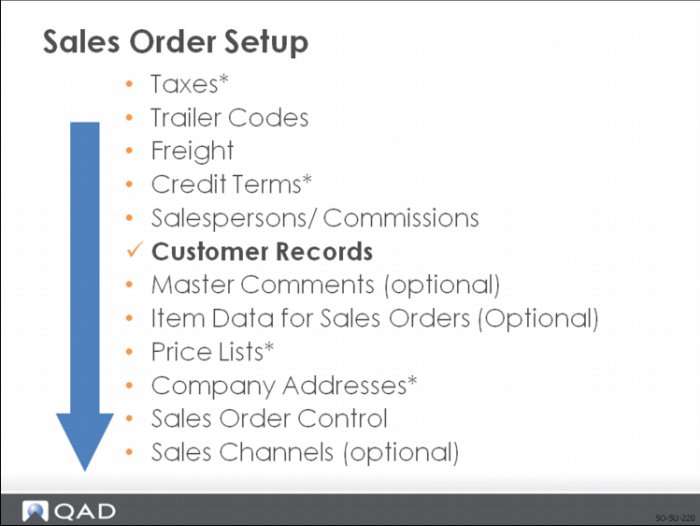
Customer Records
Customer records contain default information pertaining to the customer:
• Addresses
• General data
• Banks
• Credit data
• Customer items
• Address list types
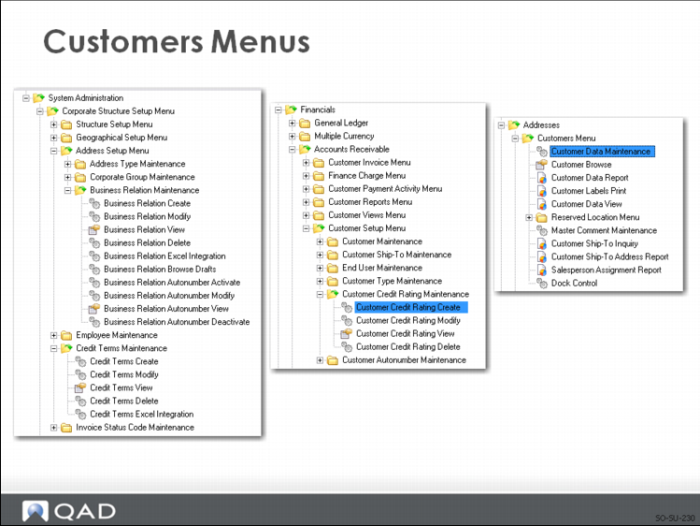
Customers Menu
Many of the tasks associated with customer setup are in the system administration, financial, and master data addresses menu functions. The role-based system security restricts these tasks. While explaining many of these tasks, this course focus on the functions accessed in the sales order module.
After a customer is set up in system administration, the data required for operational uses of customers is defined in Customer Data Maintenance.
Customers are used in:
• Sales Quotations
• Sales Orders
• Invoices
• Accounts Receivable
• Service and Support Management
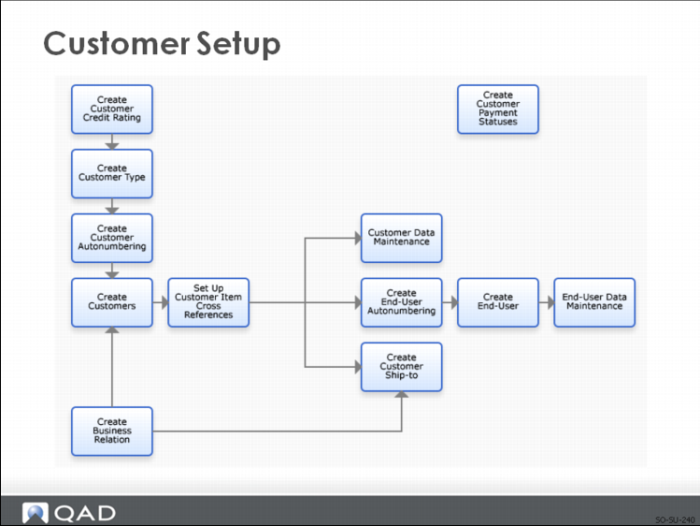
Customer Setup
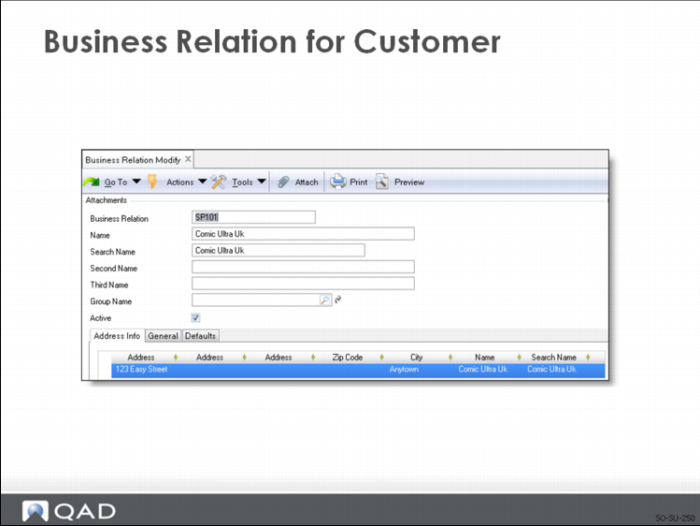
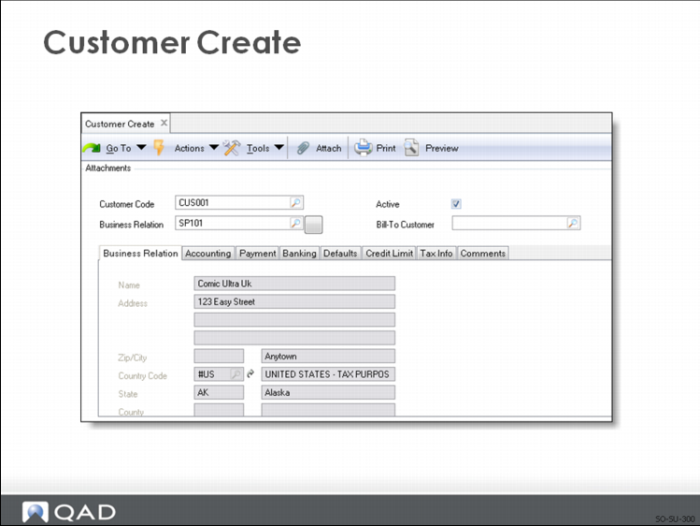
As with salesperson, customer setup begins by establishing a business relation. Note that the modify screen displays since after a record is created, it cannot be viewed in the create screen.
Setup continues with Customer Create. In Customer Create, you can assign a Bill-To Customer. Note the tabs for business relation, accounting, payment, banking, credit limits, and tax info. These functions, along with Customer Type Create, End User Create, Customer Ship-To Create, Customer Credit Rating Maintenance, and Customer Autonumbering are maintained in the customer setup menu under accounts receivable. These functions are covered in the Financial Training Courses.
Customer Type codes are created in Customer Type Create and assigned in Customer Create under the Accounting tab.
Activate Autonumbering
There are two approaches for assigning address codes:
• User manually assigns the code; the code typically has some inherent meaning to the user.
• System automatically assigns the code; the code is based on a sequential number and has no inherent meaning.
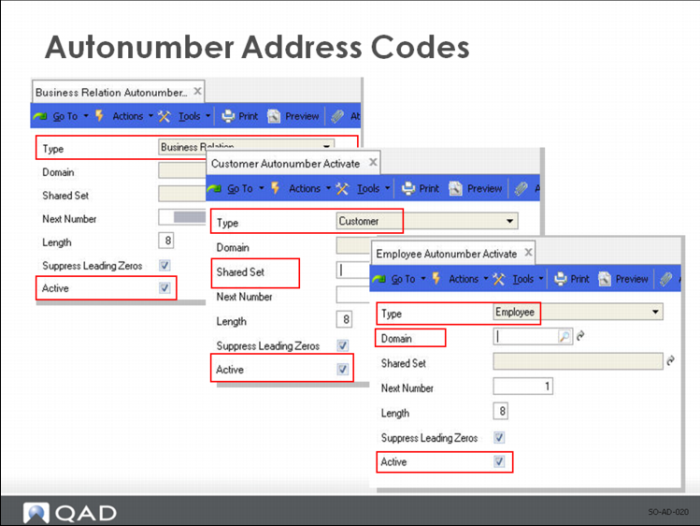
You can set up sequence numbers to be used to automatically generate numbers for Business Relations, Customers/Suppliers, End Users, Employees.
When you leave the code field blank in the activities that create these records, the system supplies a number based on the defined autonumber sequence. These sequences are all defined in a similar way but the scope of the sequence differs:
• Business relation autonumbers are database wide.
• Customer, supplier, and end-user autonumbers apply at the shared set level; a shared set is mandatory.
• Employee autonumbers apply to each domain; a domain code is mandatory.
Customer Banks
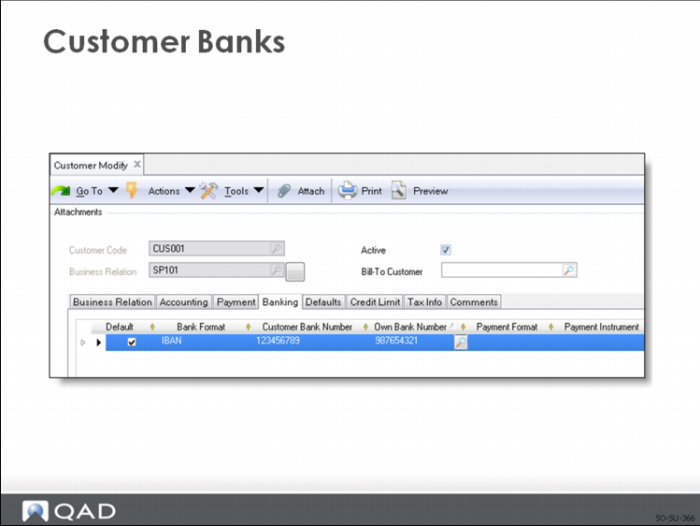
Customer banks are set up in Customer Create or Customer Modify under the Banking tab.
Customer Ship-To Create
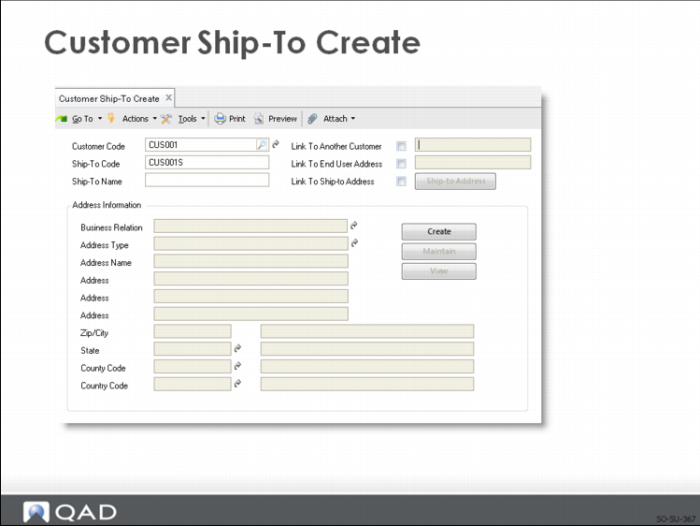
You can use Customer Ship-To Create (27.20.2.1) in multiple ways:
• Create an entirely new ship-to and specify the address, tax, and contact details in this function. To do this, clear all the link-to address fields, and enter a code in the Ship-To Code field (or leave blank for a system-generated number). The new address is create as a ship-to address type for the customer’s business relation.
• Indicate that another customer—of the same or different business relation—is the ship-to address of a specified customer; in this case, the same code and address information is used. A customer can be the ship-to address of only one other customer, and the address used is the headoffice address.
• Indicate a customer’s end user is also a ship-to address. In this case also, the same code and address information is used.
• Specify a new ship-to code and associate it with an existing address with the ship-to type defined for a customer’s business relation. In this case, multiple codes share the existing address; if you change the address, it is changed for all codes referencing it.
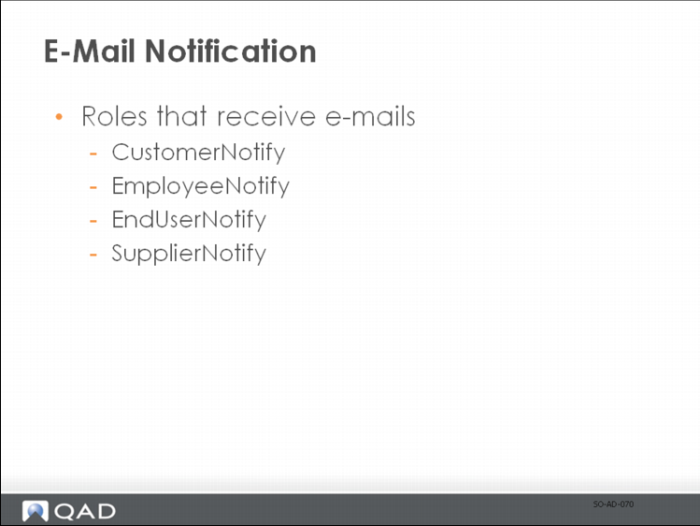
E-Mail Notification
If you have set up e-mail notification, the system sends notifying e-mails to recipients with the relevant roles when customer, supplier, employee, or end-user records are created.
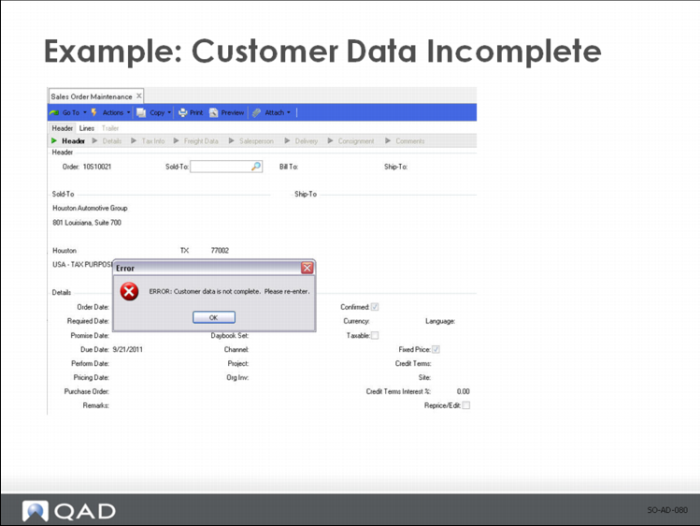
Example: Customer Data Incomplete
E-mails advise users that operational data should be entered for the new records created in the Enterprise Financials. For example, when a customer is created in Enterprise Financials, the associated record must be updated in Customer Data Maintenance. Otherwise, the customer cannot be used in sales orders until the customer data is updated using Customer Data Maintenance.
Customer Addresses
Values associated with a customer address determine default field values in other functions.
Three customer addresses are associated with a sales order:
• The sold-to customer places the order
• The bill-to customer pays the invoice
• The ship-to customer receives the order
Note: A dock address can be used when additional delivery detail is required as in a specific dock number at a warehouse or in the case where docks on opposite sides of a warehouse have different street addresses.
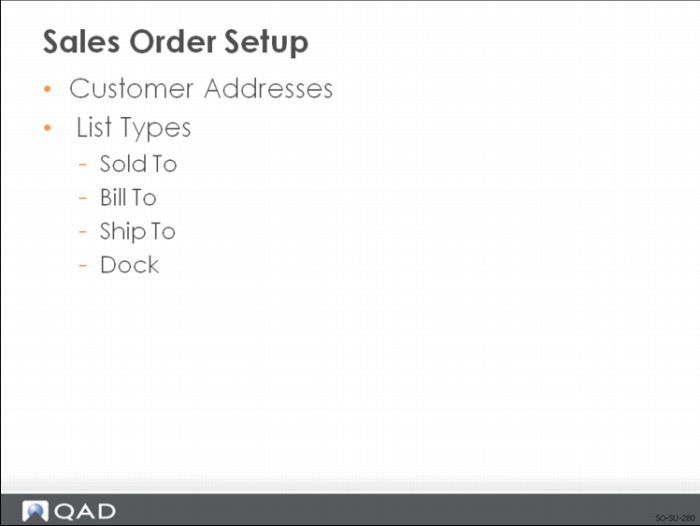
Sales Order Setup
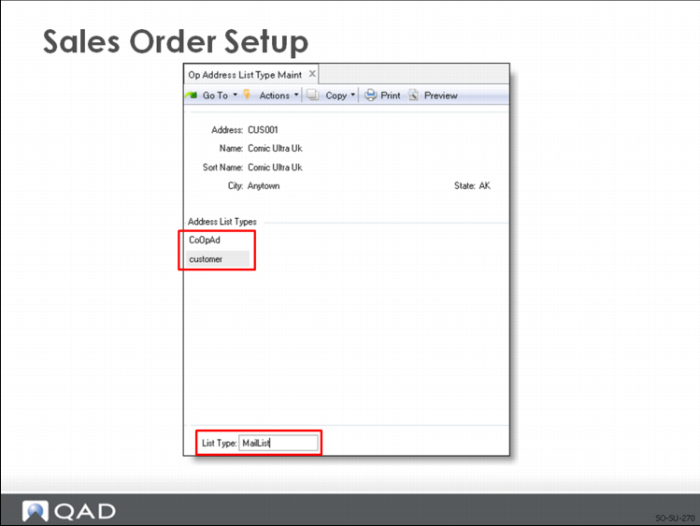
The system stores operational address codes in one table and uses list type to identify the type of address each code represents. List types are assigned automatically based on the program used to create or update the code. In addition, user-defined address list types can be created. An address can have multiple list types. The following system-assigned list types are valid: Slsprsn; Company; Enduser; Customer; Ship-to; Supplier; Dock; Carrier; Engineer.
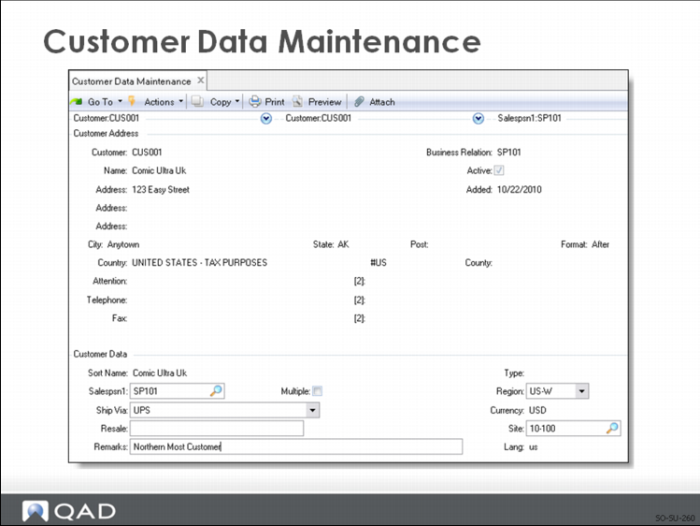
Customer Data Maintenance
Customer Data Maintenance (formerly Customer Maintenance) is located in the Addresses Menu under Master Data.
• Enter the primary salesperson for this customer. Checking Multiple opens a pop-up window that allows up to four salespersons to be linked to this customer.
• The Ship Via is the default method and defaults to other documents.
• Regions are user-defined and are set up in Region Maintenance.
• Site is the default ship-from site for this customer.
• The language code is set up in Customer Create and is the language you prefer to communicate to this customer with.
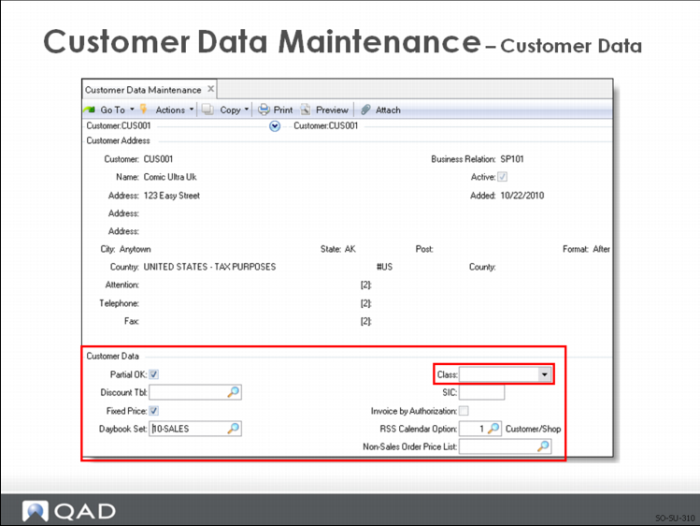
Clicking Next advances to the next frame of customer data.
You can use customer class when allocating scarce inventory by running Sales Order Auto Allocations (7.1.7) for a range of customer class codes. The first allocation can go to the highest class of customers, the next to the next highest, and so on.
Other fields in this frame are either self-explanatory or covered in detail in the user guide.
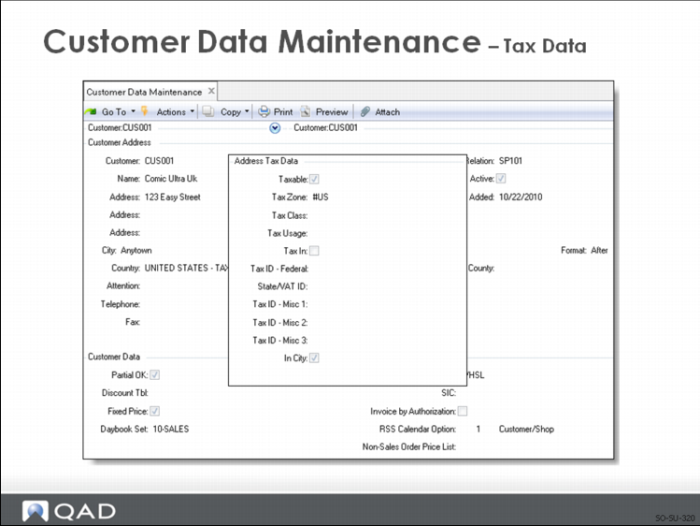
Next in sequence is a pop-up frame with the customer tax data. The various codes are set up in Global Tax Management. Setup of specific taxing information is beyond the scope of this course.
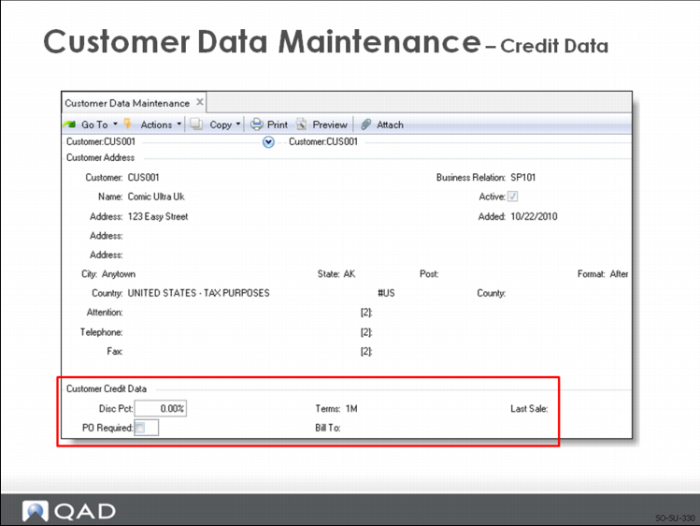
Customer credit data defaults from accounts receivable. Here a global discount percent can be entered for anything this customer buys. You can also indicate if the customer requires a purchase order to be referenced on the sales order.
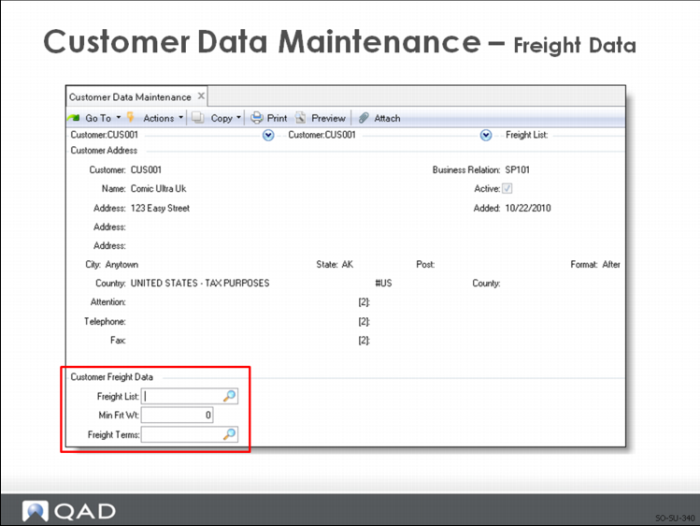
The next frame lets you specify the freight list and terms
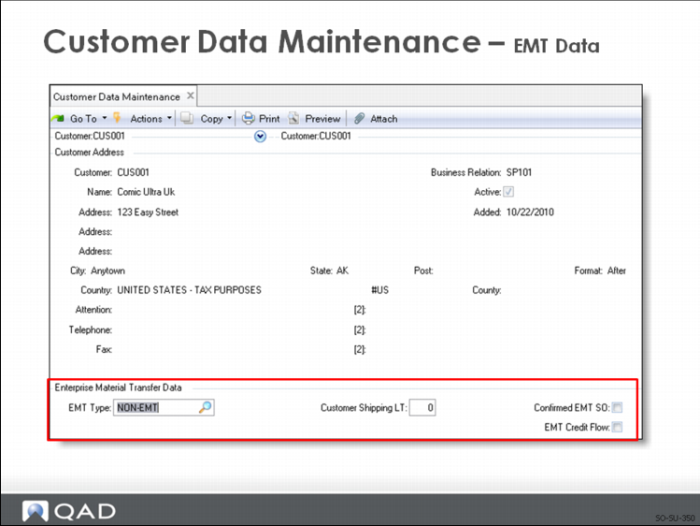
The last frame in Customer Data Maintenance is for Enterprise Material Transfer customers. This setup is covered is outside the scope of this class.