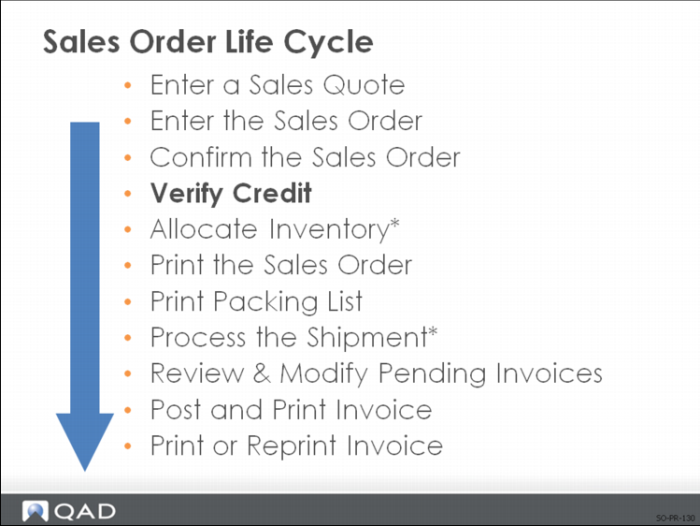
Verify Credit
This process is optional for sales orders that is performed by the Credit/Finance department.
Sales Order Maintenance
You can put credit holds on customers who have reached their credit limit.
Note: Credit limits are checked during Sales Order Maintenance. This check can optionally include other open sales orders. When an order is placed on credit hold, a picklist cannot be printed, effectively preventing the order from being shipped. However, the SO is still considered by MRP and can have inventory allocated to it.
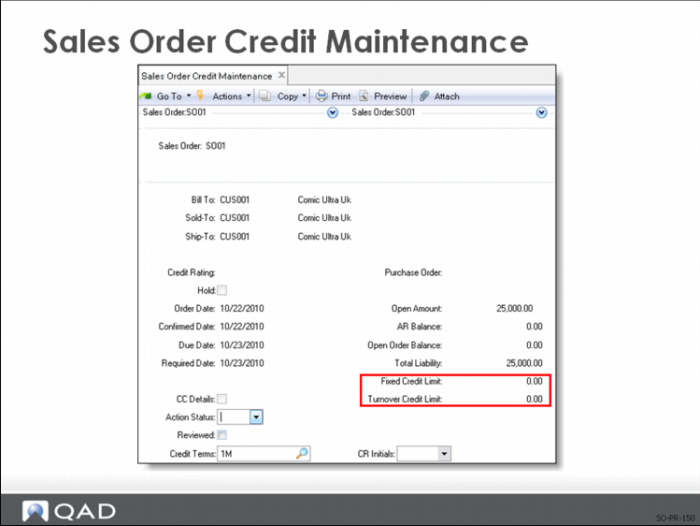
Sales Order Credit Maintenance
Use Sales Order Credit Maintenance, Sales Order Auto Credit Hold, and Sales Order Auto Credit Approval to verify credit:
• Put credit holds on customers that have reached their credit limit
• A sales order packing list cannot be printed until the order has been removed from hold using Sales Order Credit Maintenance or Sales Order Auto Credit Approval
A nonblank Action Status does not prevent inventory from being allocated or a shipment from being processed. MRP still considers the orders on hold. Placing or removing a hold involves only a change to the Action Status. Holds can be added and removed with no restrictions. If an order is held by mistake, reset the Action Status to blank
Note: Use Sales Order Credit Maintenance to change single sales orders; use Sales Order Auto Credit Hold or Sales Order Auto Credit Approval to work on groups of orders.
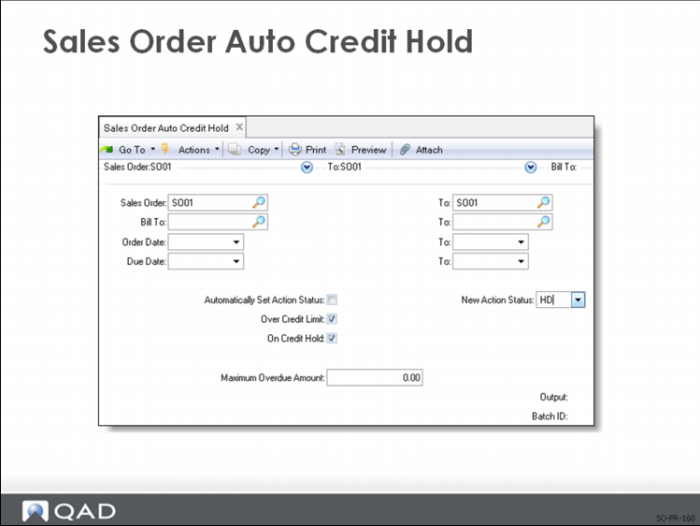
Sales Order Auto Credit Hold
• Reviews a group of orders and optionally puts a hold on those meeting the specified criteria
• Can check the customer’s Accounts Receivable balance plus open orders against the credit limit and look at the number of days that open invoices are overdue
• A sales order packing list cannot be printed until the order has been removed from hold using Sales Order Credit Maintenance or Sales Order Auto Credit Approval
Note: If you are using EMT, primary customer sales orders are placed on credit hold by this function and additional processing takes place for any associated EMT Sales Order lines. The status on the related EMT Purchase Order is set and is transmitted to the Secondary Business Unit. The status change is applied to the secondary sales order (putting it on credit hold).
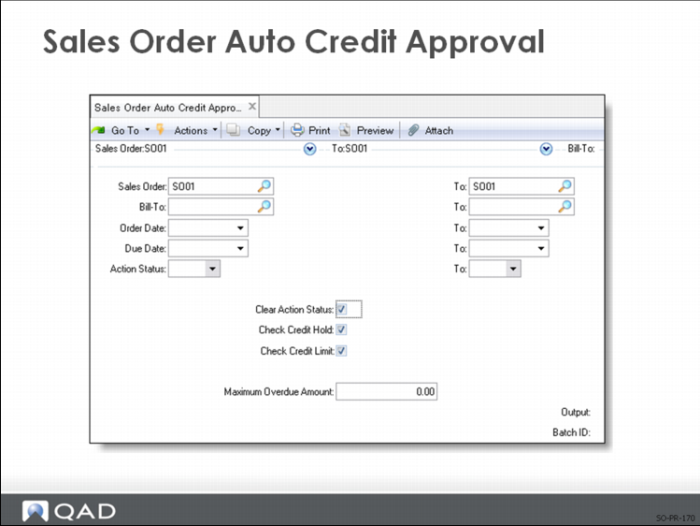
Sales Order Auto Credit Approval
• Reviews a group of orders and optionally removes hold from the orders meeting the specified criteria
• Can check the customer’s Accounts Receivable balance plus open orders against the credit limit and look at the number of days open invoices are overdue
• A sales order packing list cannot be printed until the order has been removed from hold using Sales Order Credit Maintenance or Sales Order Auto Credit Approval
Note: If you are using EMT, primary sales orders are removed from credit hold by this function and additional processing takes place for any associated EMT sales order lines. The status on the related EMT Purchase Order is set and is transmitted to the Secondary Business Unit. The status change is applied to the secondary sales order (removing the credit hold).