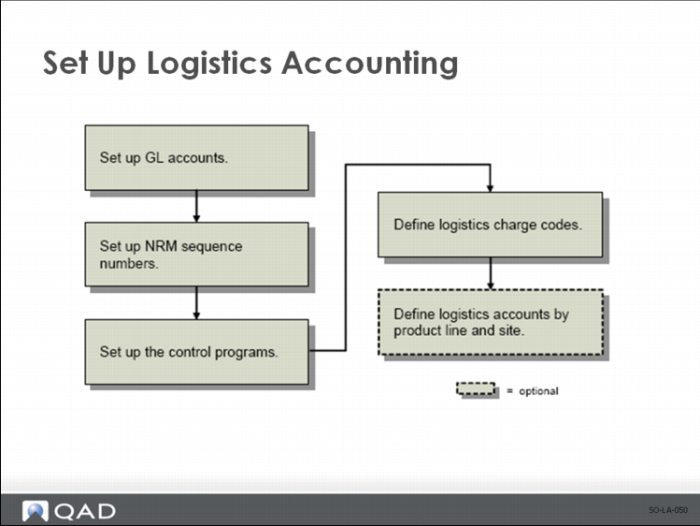
Set Up Logistics Accounting
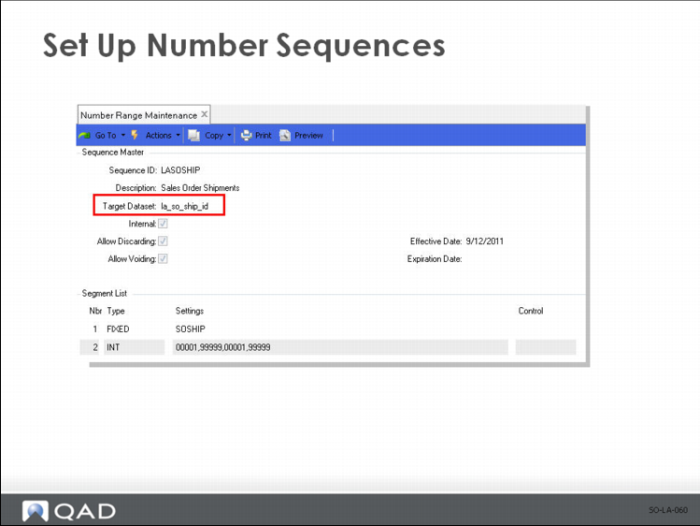
Set Up Number Sequences
Target Dataset
Enter the dataset identifier associated with this sequence:
• Enter la_so_ship_id for sales order shipments.
• Enter la_do_ship_id for distribution order shipments.
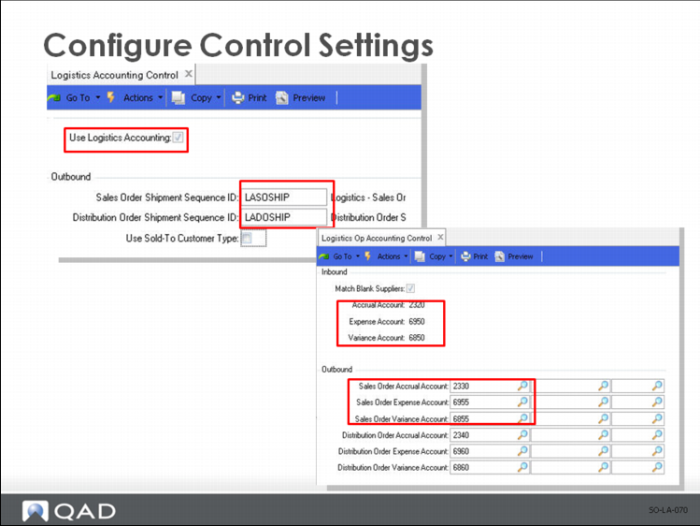
Configure Control Settings
• Use Logistics Accounting Control to activate the Logistics Accounting functionality.
• Assign NRM sequence codes to sales order and distribution order shipments.
• The NRM number provides the internal reference of logistics charge pending invoices created by Sales Order Shipments.
• Use Logistics Op Accounting Control to specify default GL accrual, expense, and variance accounts for tracking inbound and outbound logistics charges.
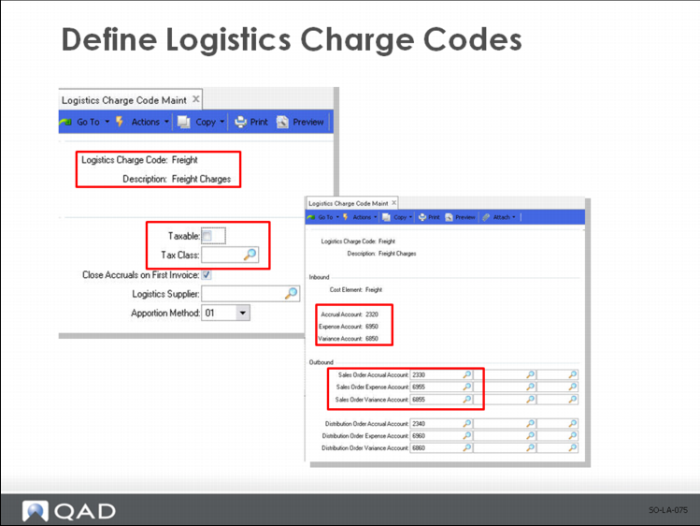
Define Logistics Charge Codes
• Outbound logistics charges
• Include the cost of freight only
• Use the tax parameters of the trailer code associated with the freight list on the order
• GL accounts default from Logistics Op Accounting Control
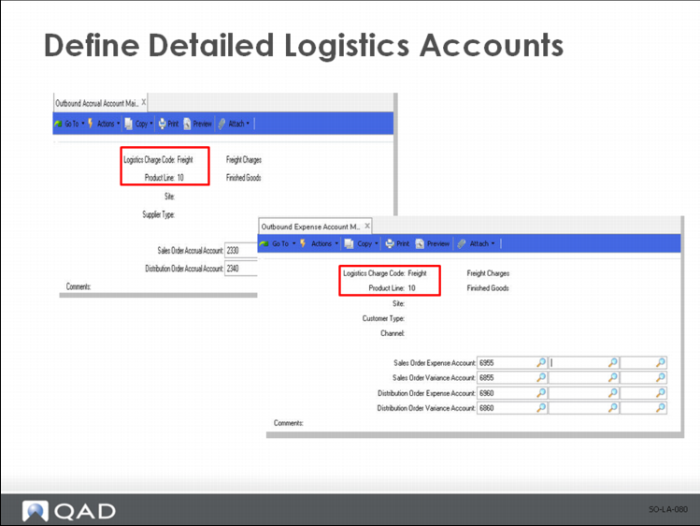
(Optional) Define Detailed Logistics Accounts
• (Optional) Define accrual accounts by Logistics Charge Code, Product Line, Site, and Supplier Type.
• (Optional) Define expense accounts by Logistics Charge Code, Product Line, Site, Customer Type, and Channel.