Sales Quotations
Overview
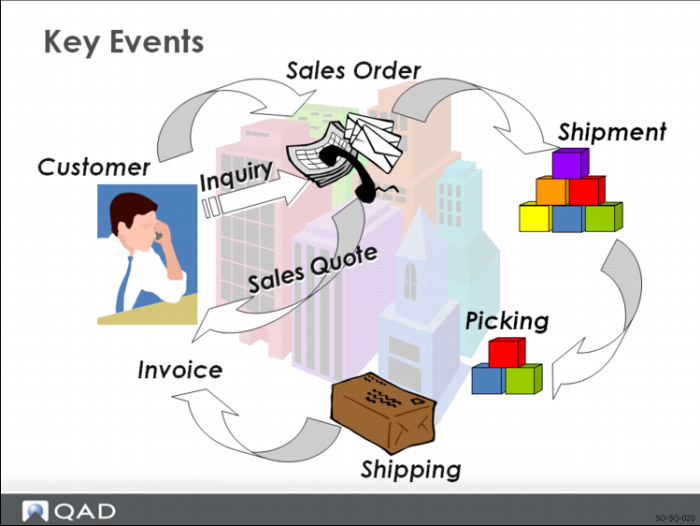
Quotation
• A statement of price, terms of sale, and description of good or services offered by a vendor to a prospective purchaser
• When given in response to an inquiry, it is considered an offer to sell
Sales Quotes Allow You To:
• Respond to a customer request for a quote
• Monitor the status of a quote
• Give visibility on potential gross margin contribution
• View history by item number or customer
• Generate reports on expired quotes that did not result in a customer order
Why Consider Sales Quotes?
• Can be released to a sales order
• Can be used as a template for a
• Recurring sale
• Lease
• Service contract (if not using SSM)
Terminology
Days Until Expire
Specifies the normal length of time quoted prices are good for. After this time, a quote expires and prices must be renegotiated. See Sales Quote Control.
Confirm Date
The date the customer confirmed the sales quote.
Follow-Up
The follow-up date for a sales quote.
Recurring
A quote can record a recurring sale, such as monthly fees for maintenance charges. An entire year can be quoted, but a sales order and invoice are generated on a monthly basis.
Cycle Code
Specifies the frequency with which sales orders are released from a quote.
Release Count
The number of releases for this quote.
Reason Lost
Indicates the reason why the customer did not place an order against the quote.
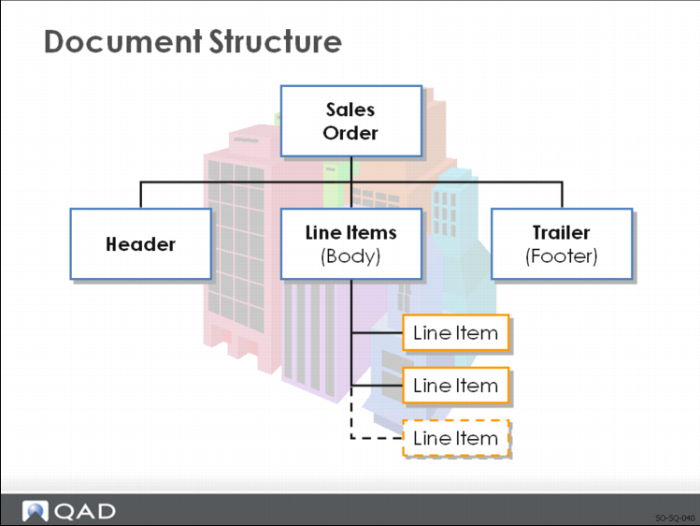
Header
Once you enter the header, the order is stored in the system even if you do not enter any line items.
The quote header includes:
• Sold-To
• Bill-To
• Ship-To
• Credit Terms
• Freight List
• Currency
• Exch Rate
• Other general quote information
• An expiration and follow-up date (optional)
Line Items
A quote contains one or more line items. Each line item lists the:
• Item number
• Quantity quoted
• Unit of measure
Note: If the item number is your customer’s number, the system displays your internal item number (referenced from Customer Item Maintenance). Both numbers print on all sales quote documents.
You can enter line items in single- or multiple-line mode; specify the default in Sales Quote Control.
• More data can be entered in single-line mode (such as Due Date and Qty to Release), but multiple-line entry is quicker.
• You can switch between single-line and multiple-line modes within a quote.
Trailer
The trailer frame presents the totals for the line items and any taxes, optional order discounts, freight charges, and any miscellaneous charges that might apply.
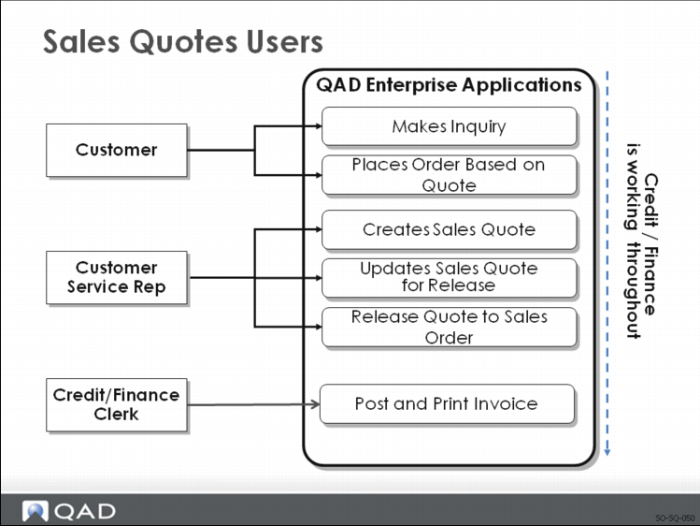
Sales Quotes Users
In general, sales quotes are:
• Entered and printed
• Released to Sales Orders/Invoicing
• Each release generates a sales order against which all shipments are processed
• You can process multiple releases for any line item
• The release process requires that you specify the quantity to release and the due date
Note: If a sales quote does not result in an order, a Reason Lost can be entered.
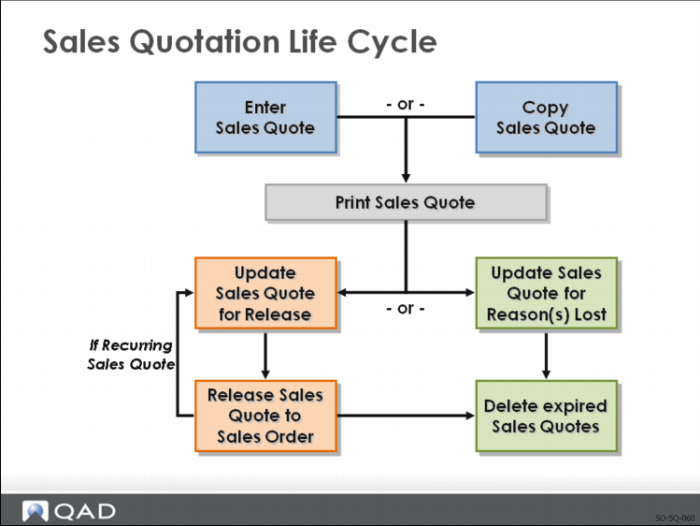
Life Cycle
Two types of sales quotes can be created:
1 One-Time for a single sale
• Set Recurring to No in the header of Sales Quote Maintenance
• When the customer agrees to the terms, use Sales Quote Maintenance to enter the quantity to release, then run Sales Quote Release to Order
2 Recurring, for repeat business
• Set Recurring to Yes and enter the quantity to release equal to the quantity to ship each time
• If the customer orders on a regular weekly or monthly cycle, enter the period in Cycle Code
• To release a sales quote to a sales order, run Sales Quote Release to Order for that specified Cycle Code
You can enter sales quotes for inventory items, noninventory items, or configured items. When a sales quote is released to create an order, all quote information, including the configuration, is transferred.