PC Operations Reports (30.5.15)
PC Work Order WIP Cost Report (30.5.15.1)
This report lets you specify a range of data to display for each cost set. You can specify the account, sub-account, cost center, project, work order, ID, item number, site, sales/job, or supplier.
PC WO WIP History Report (30.5.15.2)
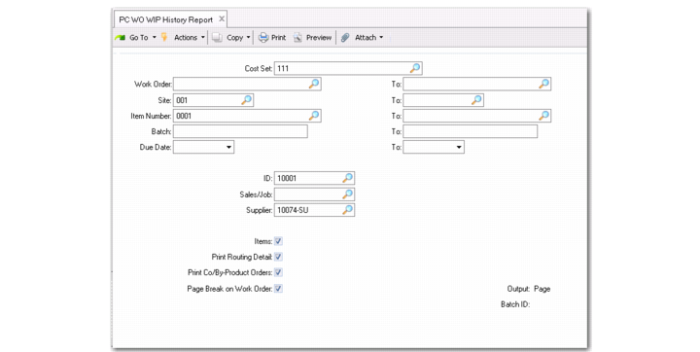
Use this report to display work order WIP history for each cost set. You can specify a range of work orders, site, item number, batch, due dates, ID, sales/job, or supplier. Optionally, you can specify whether to display items, routing detail, and co/by-product orders. You can also select a cumulative order with no effective date or set page breaks on work orders that display.
PC WO WIP History Report (30.5.15.2)
WIP Adj Valuation Report (30.5.15.3)
Use this report to display WIP adjustment valuation data. You can specify a range of ID, item number, site, line, reason, work center, machine, department, shift, employee, or effective date. You can specify the cost set, then optionally specify whether cost elements display. You can sort by site, item, operation, or line, which is the default, or by extended cost in descending order.
WIP Scrap Valuation Report (30.5.15.4)
This report displays data by setting a range of criteria similar to the WIP Adj Valuation Report; however, data displays for WIP scrap.
Operation Trans Detail Inquiry (30.5.15.5)
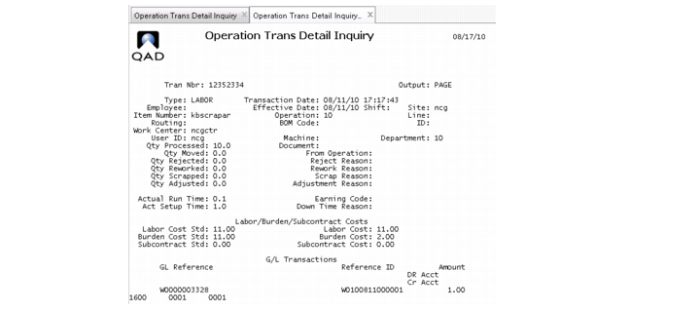
This report displays operation details by transaction number. You start by specifying the transaction number, then optionally specifying whether data displays for the statutory currency. The system displays the type of transaction; transaction and effective dates; employee; item; work order; ID; site; work center; department; line; machine; quantity scrapped, completed, rejected, and reworked; and additional cost data.
Operation Trans Detail Inquiry (30.5.15.5)