Golden Tax Workflow
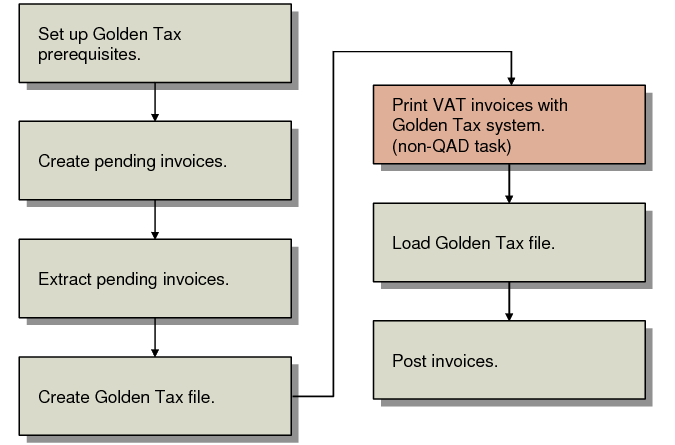
The following figure illustrates the steps involved in integrating with the Chinese Golden Tax system.
Golden Tax Invoicing Flow
This workflow includes the following steps:
1 Define some data required for the operation of the Golden Tax system.
2 Pending invoices are created automatically when items on a sales order are shipped, or manually in Pending Invoice Maintenance (7.13.1).
3 Extract invoice data in Pending Invoice Extract (7.13.20.1.1).
4 Create an external a text file in Golden Tax File Create (7.13.20.1.2) to be uploaded to the Golden Tax system for invoice print.
5 Use the Golden Tax system to print VAT invoices and output a data file of the printed invoices.
6 Import the file into your QAD database using Golden Tax File Load (7.13.20.1.3).
7 Use standard Invoice Post and Print (7.13.4) to post the invoice after it has been processed by the Golden Tax system.
Note: In standard QAD invoicing, Invoice Post and Print posts and then prints an invoice. However, if the invoice has been processed by Golden Tax invoice print, the print step is omitted.