Set Up Process Shifts
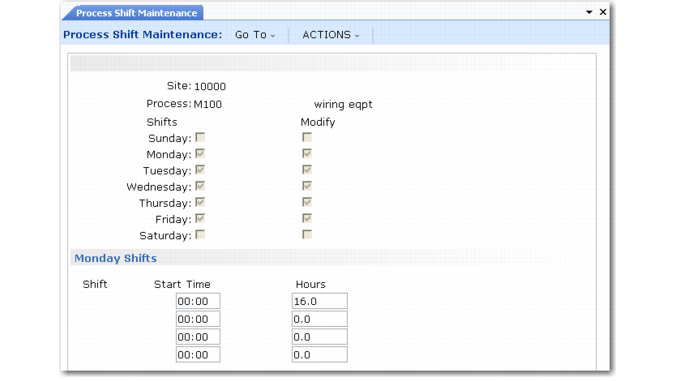
Use Process Shift Maintenance (17.1.13) to define the normal hours for each shift associated with a kanban process. You can also define any exceptions to that normal pattern.
System calculations use process shift records to determine the amount of time available. For example, when you update process data using Basic Process Calculations (17.2.3), the system examines shift records during the specified period to calculate the available time for each work day. See
Perform Process Calculations.
Process Shift Maintenance (17.1.13)
Set up shifts for a site or for a process at a site. You can define up to four shifts for each day of the week. A working day should have at least one shift with some number of hours greater than zero.
The hours per shift is the number of hours the shift is capable of producing, rather than the total number of working hours for the shift.
Note: Although—because of shift overlaps—the total number of hours for all shifts can exceed 24, this is not recommended. It can result in invalid system calculations.
The hours worked by a particular shift can change because of holidays, planned shutdowns, or periods with planned overtime. Manage exceptions by specifying adjustment hours to shifts by effective date. When you run Preliminary Level Schedule Report (17.14.2) or Level Mix Workbench (17.14.1) for a process, you can specify the reference codes associated with these exceptions. The system adjusts available production time as appropriate and displays each code and the associated number of hours in an individual column.